{
  "version": "1",
  "pip_version": "26.1.2",
  "install": [
    {
      "download_info": {
        "url": "https://files.pythonhosted.org/packages/b9/37/e781683abac55dde9771e086b790e554811a71ed0b2b8a1e789b7430dd44/shapely-2.1.2-cp312-cp312-manylinux2014_x86_64.manylinux_2_17_x86_64.whl",
        "archive_info": {
          "hashes": {
            "sha256": "1e7d4d7ad262a48bb44277ca12c7c78cb1b0f56b32c10734ec9a1d30c0b0c54b"
          },
          "hash": "sha256=1e7d4d7ad262a48bb44277ca12c7c78cb1b0f56b32c10734ec9a1d30c0b0c54b"
        }
      },
      "is_direct": false,
      "is_yanked": false,
      "requested": true,
      "metadata": {
        "metadata_version": "2.4",
        "name": "shapely",
        "version": "2.1.2",
        "dynamic": [
          "license-file"
        ],
        "summary": "Manipulation and analysis of geometric objects",
        "description": "=======\nShapely\n=======\n\n.. Documentation at RTD — https://readthedocs.org\n\n.. image:: https://readthedocs.org/projects/shapely/badge/?version=stable\n   :alt: Documentation Status\n   :target: https://shapely.readthedocs.io/en/stable/\n\n.. Github Actions status — https://github.com/shapely/shapely/actions\n\n.. |github-actions| image:: https://github.com/shapely/shapely/workflows/Tests/badge.svg?branch=main\n   :alt: Github Actions status\n   :target: https://github.com/shapely/shapely/actions?query=branch%3Amain\n\n.. PyPI\n\n.. image:: https://img.shields.io/pypi/v/shapely.svg\n   :alt: PyPI\n   :target: https://pypi.org/project/shapely/\n\n.. Anaconda\n\n.. image:: https://img.shields.io/conda/vn/conda-forge/shapely\n   :alt: Anaconda\n   :target: https://anaconda.org/conda-forge/shapely\n\n.. Coverage\n\n.. |coveralls| image:: https://coveralls.io/repos/github/shapely/shapely/badge.svg?branch=main\n   :target: https://coveralls.io/github/shapely/shapely?branch=main\n\n.. Zenodo\n\n.. .. image:: https://zenodo.org/badge/191151963.svg\n..   :alt: Zenodo\n..   :target: https://zenodo.org/badge/latestdoi/191151963\n\nManipulation and analysis of geometric objects in the Cartesian plane.\n\n.. image:: https://c2.staticflickr.com/6/5560/31301790086_b3472ea4e9_c.jpg\n   :width: 800\n   :height: 378\n\nShapely is a BSD-licensed Python package for manipulation and analysis of\nplanar geometric objects. It is using the widely deployed open-source\ngeometry library `GEOS <https://libgeos.org/>`__ (the engine of `PostGIS\n<https://postgis.net/>`__, and a port of `JTS <https://locationtech.github.io/jts/>`__).\nShapely wraps GEOS geometries and operations to provide both a feature rich\n`Geometry` interface for singular (scalar) geometries and higher-performance\nNumPy ufuncs for operations using arrays of geometries.\nShapely is not primarily focused on data serialization formats or coordinate\nsystems, but can be readily integrated with packages that are.\n\nWhat is a ufunc?\n----------------\n\nA universal function (or ufunc for short) is a function that operates on\n*n*-dimensional arrays on an element-by-element fashion and supports array\nbroadcasting. The underlying ``for`` loops are implemented in C to reduce the\noverhead of the Python interpreter.\n\nMultithreading\n--------------\n\nShapely functions generally support multithreading by releasing the Global\nInterpreter Lock (GIL) during execution. Normally in Python, the GIL prevents\nmultiple threads from computing at the same time. Shapely functions\ninternally release this constraint so that the heavy lifting done by GEOS can\nbe done in parallel, from a single Python process.\n\nUsage\n=====\n\nHere is the canonical example of building an approximately circular patch by\nbuffering a point, using the scalar Geometry interface:\n\n.. code-block:: pycon\n\n    >>> from shapely import Point\n    >>> patch = Point(0.0, 0.0).buffer(10.0)\n    >>> patch\n    <POLYGON ((10 0, 9.952 -0.98, 9.808 -1.951, 9.569 -2.903, 9.239 -3.827, 8.81...>\n    >>> patch.area\n    313.6548490545941\n\nUsing the vectorized ufunc interface (instead of using a manual for loop),\ncompare an array of points with a polygon:\n\n.. code:: python\n\n    >>> import shapely\n    >>> import numpy as np\n    >>> geoms = np.array([Point(0, 0), Point(1, 1), Point(2, 2)])\n    >>> polygon = shapely.box(0, 0, 2, 2)\n\n    >>> shapely.contains(polygon, geoms)\n    array([False,  True, False])\n\nSee the documentation for more examples and guidance: https://shapely.readthedocs.io\n\nRequirements\n============\n\nShapely 2.1 requires\n\n* Python >=3.10\n* GEOS >=3.9\n* NumPy >=1.21\n\nInstalling Shapely\n==================\n\nWe recommend installing Shapely using one of the available built\ndistributions, for example using ``pip`` or ``conda``:\n\n.. code-block:: console\n\n    $ pip install shapely\n    # or using conda\n    $ conda install shapely --channel conda-forge\n\nSee the `installation documentation <https://shapely.readthedocs.io/en/latest/installation.html>`__\nfor more details and advanced installation instructions.\n\nIntegration\n===========\n\nShapely does not read or write data files, but it can serialize and deserialize\nusing several well known formats and protocols. The shapely.wkb and shapely.wkt\nmodules provide dumpers and loaders inspired by Python's pickle module.\n\n.. code-block:: pycon\n\n    >>> from shapely.wkt import dumps, loads\n    >>> dumps(loads('POINT (0 0)'))\n    'POINT (0.0000000000000000 0.0000000000000000)'\n\nShapely can also integrate with other Python GIS packages using GeoJSON-like\ndicts.\n\n.. code-block:: pycon\n\n    >>> import json\n    >>> from shapely.geometry import mapping, shape\n    >>> s = shape(json.loads('{\"type\": \"Point\", \"coordinates\": [0.0, 0.0]}'))\n    >>> s\n    <POINT (0 0)>\n    >>> print(json.dumps(mapping(s)))\n    {\"type\": \"Point\", \"coordinates\": [0.0, 0.0]}\n\nSupport\n=======\n\nQuestions about using Shapely may be asked on the `GIS StackExchange\n<https://gis.stackexchange.com/questions/tagged/shapely>`__ using the \"shapely\"\ntag.\n\nBugs may be reported at https://github.com/shapely/shapely/issues.\n\nCopyright & License\n===================\n\nShapely is licensed under BSD 3-Clause license.\nGEOS is available under the terms of GNU Lesser General Public License (LGPL) 2.1 at https://libgeos.org.\n",
        "description_content_type": "text/x-rst",
        "keywords": [
          "geometry",
          "topology",
          "gis"
        ],
        "author": "Sean Gillies",
        "maintainer": "Shapely contributors",
        "license": "BSD 3-Clause",
        "license_file": [
          "LICENSE.txt",
          "LICENSE_GEOS"
        ],
        "classifier": [
          "Development Status :: 5 - Production/Stable",
          "Intended Audience :: Developers",
          "Intended Audience :: Science/Research",
          "License :: OSI Approved :: BSD License",
          "Operating System :: Unix",
          "Operating System :: MacOS",
          "Operating System :: Microsoft :: Windows",
          "Programming Language :: Python :: 3",
          "Programming Language :: Python :: 3.10",
          "Programming Language :: Python :: 3.11",
          "Programming Language :: Python :: 3.12",
          "Programming Language :: Python :: 3.13",
          "Programming Language :: Python :: 3.14",
          "Topic :: Scientific/Engineering :: GIS"
        ],
        "requires_dist": [
          "numpy>=1.21",
          "pytest; extra == \"test\"",
          "pytest-cov; extra == \"test\"",
          "scipy-doctest; extra == \"test\"",
          "numpydoc==1.1.*; extra == \"docs\"",
          "matplotlib; extra == \"docs\"",
          "sphinx; extra == \"docs\"",
          "sphinx-book-theme; extra == \"docs\"",
          "sphinx-remove-toctrees; extra == \"docs\""
        ],
        "requires_python": ">=3.10",
        "project_url": [
          "Documentation, https://shapely.readthedocs.io/",
          "Repository, https://github.com/shapely/shapely"
        ],
        "provides_extra": [
          "test",
          "docs"
        ]
      }
    },
    {
      "download_info": {
        "url": "https://files.pythonhosted.org/packages/89/5f/39cbadc320cd78f4834b0a9f7a2fa3c980dca942bf193f315837eacb8870/meshio-5.3.5-py3-none-any.whl",
        "archive_info": {
          "hashes": {
            "sha256": "0736c6e34ecc768f62f2cde5d8233a3529512a9399b25c68ea2ca0d5900cdc10"
          },
          "hash": "sha256=0736c6e34ecc768f62f2cde5d8233a3529512a9399b25c68ea2ca0d5900cdc10"
        }
      },
      "is_direct": false,
      "is_yanked": false,
      "requested": true,
      "metadata": {
        "metadata_version": "2.1",
        "name": "meshio",
        "version": "5.3.5",
        "summary": "I/O for many mesh formats",
        "description": "<p align=\"center\">\n  <a href=\"https://github.com/nschloe/meshio\"><img alt=\"meshio\" src=\"https://nschloe.github.io/meshio/logo-with-text.svg\" width=\"60%\"></a>\n  <p align=\"center\">I/O for mesh files.</p>\n</p>\n\n[![PyPi Version](https://img.shields.io/pypi/v/meshio.svg?style=flat-square)](https://pypi.org/project/meshio/)\n[![Anaconda Cloud](https://anaconda.org/conda-forge/meshio/badges/version.svg?=style=flat-square)](https://anaconda.org/conda-forge/meshio/)\n[![Packaging status](https://repology.org/badge/tiny-repos/python:meshio.svg)](https://repology.org/project/python:meshio/versions)\n[![PyPI pyversions](https://img.shields.io/pypi/pyversions/meshio.svg?style=flat-square)](https://pypi.org/project/meshio/)\n[![DOI](https://zenodo.org/badge/DOI/10.5281/zenodo.1173115.svg?style=flat-square)](https://doi.org/10.5281/zenodo.1173115)\n[![GitHub stars](https://img.shields.io/github/stars/nschloe/meshio.svg?style=flat-square&logo=github&label=Stars&logoColor=white)](https://github.com/nschloe/meshio)\n[![Downloads](https://pepy.tech/badge/meshio/month?style=flat-square)](https://pepy.tech/project/meshio)\n\n<!--[![PyPi downloads](https://img.shields.io/pypi/dm/meshio.svg?style=flat-square)](https://pypistats.org/packages/meshio)-->\n\n[![Discord](https://img.shields.io/static/v1?logo=discord&logoColor=white&label=chat&message=on%20discord&color=7289da&style=flat-square)](https://discord.gg/Z6DMsJh4Hr)\n\n[![gh-actions](https://img.shields.io/github/workflow/status/nschloe/meshio/ci?style=flat-square)](https://github.com/nschloe/meshio/actions?query=workflow%3Aci)\n[![codecov](https://img.shields.io/codecov/c/github/nschloe/meshio.svg?style=flat-square)](https://app.codecov.io/gh/nschloe/meshio)\n[![LGTM](https://img.shields.io/lgtm/grade/python/github/nschloe/meshio.svg?style=flat-square)](https://lgtm.com/projects/g/nschloe/meshio)\n[![Code style: black](https://img.shields.io/badge/code%20style-black-000000.svg?style=flat-square)](https://github.com/psf/black)\n\nThere are various mesh formats available for representing unstructured meshes.\nmeshio can read and write all of the following and smoothly converts between them:\n\n> [Abaqus](http://abaqus.software.polimi.it/v6.14/index.html) (`.inp`),\n> ANSYS msh (`.msh`),\n> [AVS-UCD](https://lanl.github.io/LaGriT/pages/docs/read_avs.html) (`.avs`),\n> [CGNS](https://cgns.github.io/) (`.cgns`),\n> [DOLFIN XML](https://manpages.ubuntu.com/manpages/jammy/en/man1/dolfin-convert.1.html) (`.xml`),\n> [Exodus](https://nschloe.github.io/meshio/exodus.pdf) (`.e`, `.exo`),\n> [FLAC3D](https://www.itascacg.com/software/flac3d) (`.f3grid`),\n> [H5M](https://www.mcs.anl.gov/~fathom/moab-docs/h5mmain.html) (`.h5m`),\n> [Kratos/MDPA](https://github.com/KratosMultiphysics/Kratos/wiki/Input-data) (`.mdpa`),\n> [Medit](https://people.sc.fsu.edu/~jburkardt/data/medit/medit.html) (`.mesh`, `.meshb`),\n> [MED/Salome](https://docs.salome-platform.org/latest/dev/MEDCoupling/developer/med-file.html) (`.med`),\n> [Nastran](https://help.autodesk.com/view/NSTRN/2019/ENU/?guid=GUID-42B54ACB-FBE3-47CA-B8FE-475E7AD91A00) (bulk data, `.bdf`, `.fem`, `.nas`),\n> [Netgen](https://github.com/ngsolve/netgen) (`.vol`, `.vol.gz`),\n> [Neuroglancer precomputed format](https://github.com/google/neuroglancer/tree/master/src/neuroglancer/datasource/precomputed#mesh-representation-of-segmented-object-surfaces),\n> [Gmsh](https://gmsh.info/doc/texinfo/gmsh.html#File-formats) (format versions 2.2, 4.0, and 4.1, `.msh`),\n> [OBJ](https://en.wikipedia.org/wiki/Wavefront_.obj_file) (`.obj`),\n> [OFF](https://segeval.cs.princeton.edu/public/off_format.html) (`.off`),\n> [PERMAS](https://www.intes.de) (`.post`, `.post.gz`, `.dato`, `.dato.gz`),\n> [PLY](<https://en.wikipedia.org/wiki/PLY_(file_format)>) (`.ply`),\n> [STL](<https://en.wikipedia.org/wiki/STL_(file_format)>) (`.stl`),\n> [Tecplot .dat](http://paulbourke.net/dataformats/tp/),\n> [TetGen .node/.ele](https://wias-berlin.de/software/tetgen/fformats.html),\n> [SVG](https://www.w3.org/TR/SVG/) (2D output only) (`.svg`),\n> [SU2](https://su2code.github.io/docs_v7/Mesh-File/) (`.su2`),\n> [UGRID](https://www.simcenter.msstate.edu/software/documentation/ug_io/3d_grid_file_type_ugrid.html) (`.ugrid`),\n> [VTK](https://vtk.org/wp-content/uploads/2015/04/file-formats.pdf) (`.vtk`),\n> [VTU](https://vtk.org/Wiki/VTK_XML_Formats) (`.vtu`),\n> [WKT](https://en.wikipedia.org/wiki/Well-known_text_representation_of_geometry) ([TIN](https://en.wikipedia.org/wiki/Triangulated_irregular_network)) (`.wkt`),\n> [XDMF](https://xdmf.org/index.php/XDMF_Model_and_Format) (`.xdmf`, `.xmf`).\n\n([Here's a little survey](https://forms.gle/PSeNb3N3gv3wbEus8) on which formats are actually\nused.)\n\nInstall with one of\n\n```\npip install meshio[all]\nconda install -c conda-forge meshio\n```\n\n(`[all]` pulls in all optional dependencies. By default, meshio only uses numpy.)\nYou can then use the command-line tool\n\n<!--pytest-codeblocks:skip-->\n\n```sh\nmeshio convert    input.msh output.vtk   # convert between two formats\n\nmeshio info       input.xdmf             # show some info about the mesh\n\nmeshio compress   input.vtu              # compress the mesh file\nmeshio decompress input.vtu              # decompress the mesh file\n\nmeshio binary     input.msh              # convert to binary format\nmeshio ascii      input.msh              # convert to ASCII format\n```\n\nwith any of the supported formats.\n\nIn Python, simply do\n\n<!--pytest-codeblocks:skip-->\n\n```python\nimport meshio\n\nmesh = meshio.read(\n    filename,  # string, os.PathLike, or a buffer/open file\n    # file_format=\"stl\",  # optional if filename is a path; inferred from extension\n    # see meshio-convert -h for all possible formats\n)\n# mesh.points, mesh.cells, mesh.cells_dict, ...\n\n# mesh.vtk.read() is also possible\n```\n\nto read a mesh. To write, do\n\n```python\nimport meshio\n\n# two triangles and one quad\npoints = [\n    [0.0, 0.0],\n    [1.0, 0.0],\n    [0.0, 1.0],\n    [1.0, 1.0],\n    [2.0, 0.0],\n    [2.0, 1.0],\n]\ncells = [\n    (\"triangle\", [[0, 1, 2], [1, 3, 2]]),\n    (\"quad\", [[1, 4, 5, 3]]),\n]\n\nmesh = meshio.Mesh(\n    points,\n    cells,\n    # Optionally provide extra data on points, cells, etc.\n    point_data={\"T\": [0.3, -1.2, 0.5, 0.7, 0.0, -3.0]},\n    # Each item in cell data must match the cells array\n    cell_data={\"a\": [[0.1, 0.2], [0.4]]},\n)\nmesh.write(\n    \"foo.vtk\",  # str, os.PathLike, or buffer/open file\n    # file_format=\"vtk\",  # optional if first argument is a path; inferred from extension\n)\n\n# Alternative with the same options\nmeshio.write_points_cells(\"foo.vtk\", points, cells)\n```\n\nFor both input and output, you can optionally specify the exact `file_format`\n(in case you would like to enforce ASCII over binary VTK, for example).\n\n#### Time series\n\nThe [XDMF format](https://xdmf.org/index.php/XDMF_Model_and_Format) supports\ntime series with a shared mesh. You can write times series data using meshio\nwith\n\n<!--pytest-codeblocks:skip-->\n\n```python\nwith meshio.xdmf.TimeSeriesWriter(filename) as writer:\n    writer.write_points_cells(points, cells)\n    for t in [0.0, 0.1, 0.21]:\n        writer.write_data(t, point_data={\"phi\": data})\n```\n\nand read it with\n\n<!--pytest-codeblocks:skip-->\n\n```python\nwith meshio.xdmf.TimeSeriesReader(filename) as reader:\n    points, cells = reader.read_points_cells()\n    for k in range(reader.num_steps):\n        t, point_data, cell_data = reader.read_data(k)\n```\n\n### ParaView plugin\n\n<img alt=\"gmsh paraview\" src=\"https://nschloe.github.io/meshio/gmsh-paraview.png\" width=\"60%\">\n*A Gmsh file opened with ParaView.*\n\nIf you have downloaded a binary version of ParaView, you may proceed as follows.\n\n- Install meshio for the Python major version that ParaView uses (check `pvpython --version`)\n- Open ParaView\n- Find the file `paraview-meshio-plugin.py` of your meshio installation (on Linux:\n  `~/.local/share/paraview-5.9/plugins/`) and load it under _Tools / Manage Plugins / Load New_\n- _Optional:_ Activate _Auto Load_\n\nYou can now open all meshio-supported files in ParaView.\n\n### Performance comparison\n\nThe comparisons here are for a triangular mesh with about 900k points and 1.8M\ntriangles. The red lines mark the size of the mesh in memory.\n\n#### File sizes\n\n<img alt=\"file size\" src=\"https://nschloe.github.io/meshio/filesizes.svg\" width=\"60%\">\n\n#### I/O speed\n\n<img alt=\"performance\" src=\"https://nschloe.github.io/meshio/performance.svg\" width=\"90%\">\n\n#### Maximum memory usage\n\n<img alt=\"memory usage\" src=\"https://nschloe.github.io/meshio/memory.svg\" width=\"90%\">\n\n### Installation\n\nmeshio is [available from the Python Package Index](https://pypi.org/project/meshio/),\nso simply run\n\n```\npip install meshio\n```\n\nto install.\n\nAdditional dependencies (`netcdf4`, `h5py`) are required for some of the output formats\nand can be pulled in by\n\n```\npip install meshio[all]\n```\n\nYou can also install meshio from [Anaconda](https://anaconda.org/conda-forge/meshio):\n\n```\nconda install -c conda-forge meshio\n```\n\n### Testing\n\nTo run the meshio unit tests, check out this repository and type\n\n```\ntox\n```\n\n### License\n\nmeshio is published under the [MIT license](https://en.wikipedia.org/wiki/MIT_License).\n",



        "description_content_type": "text/markdown",
        "keywords": [
          "mesh",
          "file formats",
          "scientific",
          "engineering",
          "fem",
          "finite elements"
        ],
        "author": "Nico Schlömer",
        "author_email": "nico.schloemer@gmail.com",
        "license": "The MIT License (MIT)\n\nCopyright (c) 2015-2021 Nico Schlömer et al.\n\nPermission is hereby granted, free of charge, to any person obtaining a copy\nof this software and associated documentation files (the \"Software\"), to deal\nin the Software without restriction, including without limitation the rights\nto use, copy, modify, merge, publish, distribute, sublicense, and/or sell\ncopies of the Software, and to permit persons to whom the Software is\nfurnished to do so, subject to the following conditions:\n\nThe above copyright notice and this permission notice shall be included in all\ncopies or substantial portions of the Software.\n\nTHE SOFTWARE IS PROVIDED \"AS IS\", WITHOUT WARRANTY OF ANY KIND, EXPRESS OR\nIMPLIED, INCLUDING BUT NOT LIMITED TO THE WARRANTIES OF MERCHANTABILITY,\nFITNESS FOR A PARTICULAR PURPOSE AND NONINFRINGEMENT. IN NO EVENT SHALL THE\nAUTHORS OR COPYRIGHT HOLDERS BE LIABLE FOR ANY CLAIM, DAMAGES OR OTHER\nLIABILITY, WHETHER IN AN ACTION OF CONTRACT, TORT OR OTHERWISE, ARISING FROM,\nOUT OF OR IN CONNECTION WITH THE SOFTWARE OR THE USE OR OTHER DEALINGS IN THE\nSOFTWARE.\n",
        "license_file": [
          "LICENSE.txt"
        ],
        "classifier": [
          "Development Status :: 5 - Production/Stable",
          "Programming Language :: Python",
          "Intended Audience :: Science/Research",
          "License :: OSI Approved :: MIT License",
          "Operating System :: OS Independent",
          "Programming Language :: Python",
          "Programming Language :: Python :: 3",
          "Programming Language :: Python :: 3.8",
          "Programming Language :: Python :: 3.9",
          "Programming Language :: Python :: 3.10",
          "Programming Language :: Python :: 3.11",
          "Programming Language :: Python :: 3.12",
          "Topic :: Scientific/Engineering",
          "Topic :: Utilities"
        ],
        "requires_dist": [
          "numpy >=1.20.0",
          "rich",
          "importlib-metadata ; python_version < \"3.8\"",
          "netCDF4 ; extra == 'all'",
          "h5py ; extra == 'all'"
        ],
        "requires_python": ">=3.8",
        "project_url": [
          "homepage, https://github.com/nschloe/meshio",
          "code, https://github.com/nschloe/meshio",
          "issues, https://github.com/nschloe/meshio/issues"
        ],
        "provides_extra": [
          "all"
        ]
      }
    },
    {
      "download_info": {
        "url": "https://files.pythonhosted.org/packages/ac/31/1497cc4e02c85457f03dac4ce4772fd080732c2f1c724e7386cc9b37164d/manifold3d-3.5.2-cp312-cp312-manylinux_2_27_x86_64.manylinux_2_28_x86_64.whl",
        "archive_info": {
          "hashes": {
            "sha256": "11c8824c311507b4adf854abfb828528c5efc2c90a9a17fd7c36cc60efe3f382"
          },
          "hash": "sha256=11c8824c311507b4adf854abfb828528c5efc2c90a9a17fd7c36cc60efe3f382"
        }
      },
      "is_direct": false,
      "is_yanked": false,
      "requested": true,
      "metadata": {
        "metadata_version": "2.2",
        "name": "manifold3d",
        "version": "3.5.2",
        "summary": "Library for geometric robustness",
        "description": "# About Manifold\n\n[![codecov](https://codecov.io/github/elalish/manifold/branch/master/graph/badge.svg?token=IIA8G5HVS7)](https://codecov.io/github/elalish/manifold)\n[![PyPI version](https://badge.fury.io/py/manifold3d.svg)](https://badge.fury.io/py/manifold3d)\n[![npm version](https://badge.fury.io/js/manifold-3d.svg)](https://badge.fury.io/js/manifold-3d)\n[![twitter](https://img.shields.io/twitter/follow/manifoldcad?style=social&logo=twitter)](https://twitter.com/intent/follow?screen_name=manifoldcad)\n\n[**C++ Documentation**](https://manifoldcad.org/docs/html/classmanifold_1_1_manifold.html) | [**ManifoldCAD User Guide**](https://manifoldcad.org/docs/jsuser/) | [**JS/TS/WASM API**](https://manifoldcad.org/docs/jsapi/) | [**Algorithm Documentation**](https://github.com/elalish/manifold/wiki/Manifold-Library) | [**Blog Posts**](https://elalish.blogspot.com/search/label/Manifold) | [**Web Examples**](https://manifoldcad.org/model-viewer.html)\n\n[Manifold](https://github.com/elalish/manifold) is a geometry library dedicated to creating and operating on manifold triangle meshes. A [manifold mesh](https://github.com/elalish/manifold/wiki/Manifold-Library#manifoldness) is a mesh that represents a solid object, and so is very important in manufacturing, CAD, structural analysis, etc. Manifold also supports arbitrary vertex properties and enables mapping of materials for rendering use-cases. Our primary goal is reliability: guaranteed manifold output without caveats or edge cases. Our secondary goal is performance: efficient algorithms that make extensive use of parallelization, or pipelining when only a single thread is available.\n\n## Users\n\nHere is an incomplete list of our users, whose integrations may be anywhere from in-progress to released. Please feel free to send a PR to update this list with your own project - it's quite difficult for us to keep track.\n\n| | | |\n| --- | --- | --- |\n| [OpenSCAD](https://openscad.org/) | [Blender](https://www.blender.org/) | [IFCjs](https://ifcjs.github.io/info/) |\n| [Nomad Sculpt](https://apps.apple.com/us/app/id1519508653?mt=8&platform=ipad) | [Grid.Space](https://grid.space/) | [badcad](https://github.com/wrongbad/badcad) |\n| [Godot Engine](https://godotengine.org/) | [OCADml](https://github.com/OCADml/OManifold) | [Flitter](https://flitter.readthedocs.io/en/latest/) |\n| [BRL-CAD](https://brlcad.org/) | [PolygonJS](https://polygonjs.com/) | [Spherene](https://spherene.ch/) |\n| [Babylon.js](https://doc.babylonjs.com/features/featuresDeepDive/mesh/mergeMeshes#merging-meshes-with-constructive-solid-geometry) | [trimesh](https://trimesh.org/) | [Gypsum](https://github.com/playkostudios/gypsum) |\n| [Valence 3D](https://apps.apple.com/us/app/valence-3d/id6450967410?mt=8&platform=ipad) | [bitbybit.dev](https://bitbybit.dev) | [PythonOpenSCAD](https://github.com/owebeeone/pythonopenscad) |\n| [Conversation](https://james-bern.github.io/conversation.html) | [AnchorSCAD](https://github.com/owebeeone/anchorscad-core) | [Dactyl Web Configurator](https://github.com/rianadon/dactyl-configurator) |\n| [Arcol](https://arcol.io) | [Bento3D](https://bento3d.design) | [SKÅPA](https://skapa.build) |\n| [Cadova](https://github.com/tomasf/Cadova) | [BREP.io](https://github.com/mmiscool/BREP)  | [Otterplans](https://otterplans.com) |\n| [Bracket Engineer](https://bracket.engineer) | [Nodillo](https://nodillo3d.com) | [CaDoodle CAD](https://cadoodlecad.com/) |\n| [Bridge Designer](https://www.asce.org/career-growth/pre-college-outreach/bridge-designer) |[AdaShape](https://adashape.com)| [PyVista](https://github.com/pyvista/pyvista-manifold) |\n\n### Bindings & Packages\n\nManifold has bindings to many other languages, some maintained in this repository, and others elsewhere. It can also be built in C++ via [vcpkg](https://github.com/microsoft/vcpkg.git).\n\n| Language | Packager | Name | Maintenance |\n| --- | --- | --- | --- |\n| C | N/A | N/A | internal |\n| C++ | vcpkg | [manifold](https://github.com/microsoft/vcpkg/tree/master/ports/manifold) | external |\n| TS/JS | npm | [manifold-3d](https://www.npmjs.com/package/manifold-3d) | internal |\n| Python | PyPI | [manifold3d](https://pypi.org/project/manifold3d/) | internal |\n| Java | Maven | [manifold3d](https://github.com/CommonWealthRobotics/manifold3d-java/blob/development/bindings/java/README.md) | external |\n| Clojure | N/A | [clj-manifold3d](https://github.com/SovereignShop/clj-manifold3d) | external |\n| C# | NuGet | [ManifoldNET](https://www.nuget.org/packages/ManifoldNET) | external |\n| Julia | Packages | [ManifoldBindings.jl](https://juliapackages.com/p/manifoldbindings) | external |\n| OCaml | N/A | [OManifold](https://ocadml.github.io/OManifold/OManifold/index.html) | external |\n| Rust | crates.io | [manifold-csg](https://github.com/zmerlynn/manifold-csg) | external |\n| Swift | SPM | [Manifold-Swift](https://github.com/tomasf/manifold-swift) | external |\n\n## Frontend Sandboxes\n\n[ManifoldCAD.org]: https://manifoldcad.org\n[Python Colab Example]: https://colab.research.google.com/drive/1VxrFYHPSHZgUbl9TeWzCeovlpXrPQ5J5?usp=sharing\n\n### [ManifoldCAD.org]\n\nIf you like OpenSCAD / JSCAD, you might also like [ManifoldCAD][ManifoldCAD.org] - our own solid modelling web app where you script in JS/TS. This uses our npm package, [manifold-3d](https://www.npmjs.com/package/manifold-3d), built via WASM. It's not quite as fast as our raw C++, but it's hard to beat for interoperability.\n\n### [Python Colab Example]\n\nIf you prefer Python to JS/TS, make your own copy of [the notebook][Python Colab Example]. It demonstrates interop between our [`manifold3d`](https://pypi.org/project/manifold3d/) PyPI library and the popular [`trimesh`](https://pypi.org/project/trimesh/) library, including showing the interactive model right in the notebook and saving 3D model output.\n\n![A metallic Menger sponge](https://manifoldcad.org/samples/models/mengerSponge192.png \"A metallic Menger sponge\")\n\n## Manifold Library\n\nThis library is fast with guaranteed manifold output. As such you need manifold meshes as input, which this library can create using constructors inspired by the OpenSCAD API, as well as a level set function for evaluating signed-distance functions (SDF) that improves significantly over Marching Cubes. You can also pass in your own mesh data, but you'll get an error status if the imported mesh isn't manifold. We provide a [`Merge`](https://manifoldcad.org/docs/html/structmanifold_1_1_mesh_g_l_p.html) function to fix slightly non-manifold meshes, but in general you may need one of the automated repair tools that exist mostly for 3D printing.\n\nThe most significant contribution here is a guaranteed-manifold [mesh Boolean](https://github.com/elalish/manifold/wiki/Manifold-Library#mesh-boolean) algorithm, which I believe is the first of its kind. If you know of another, please open a discussion - a mesh Boolean algorithm robust to edge cases has been an open problem for many years. Likewise, if the Boolean here ever fails you, please submit an issue! This Boolean forms the basis of a CAD kernel, as it allows simple shapes to be combined into more complex ones.\n\nManifold has full support for arbitrary vertex properties, and also has IDs that make it easy to keep track of materials and what surfaces belong to what input objects or faces. See our [web example](https://manifoldcad.org/model-viewer.html) for a simple demonstration of combining objects with unique textures.\n\nAlso included are a novel and powerful suite of refining functions for smooth mesh interpolation. They handle smoothing both triangles and quads, as well as keeping polygonal faces flat. You can easily create sharp or small-radius edges where desired, or even drive the curvature by normal vectors.\n\nTo aid in speed, this library makes extensive use of parallelization through TBB, if enabled. Not everything is so parallelizable, for instance a [polygon triangulation](https://github.com/elalish/manifold/wiki/Manifold-Library#polygon-triangulation) algorithm is included which is serial. Even if compiled with parallel backend, the code will still fall back to the serial version of the algorithms if the problem size is small. The WASM build is serial-only for now, but still fast.\n\nLook in the [samples](https://github.com/elalish/manifold/tree/master/samples) directory for examples of how to use this library to make interesting 3D models. You may notice that some of these examples bear a certain resemblance to my OpenSCAD designs on [Thingiverse](https://www.thingiverse.com/emmett), which is no accident. Much as I love OpenSCAD, my library is dramatically faster and the code is more flexible.\n\n### Dependencies\n\nManifold no longer has **any** required dependencies! However, we do have several optional dependencies, of which the first two are strongly encouraged:\n| Name | CMake Flag | Provides |\n| --- | --- | --- |\n| [`TBB`](https://github.com/oneapi-src/oneTBB/) |`MANIFOLD_PAR=ON` | Parallel acceleration |\n| [`Clipper2`](https://github.com/AngusJohnson/Clipper2) | `MANIFOLD_CROSS_SECTION=ON` | 2D: [`CrossSection`](https://manifoldcad.org/docs/html/classmanifold_1_1_cross_section.html) |\n| [`Nanobind`](https://github.com/wjakob/nanobind) | `MANIFOLD_PYBIND=ON` | Python bindings |\n| [`Emscripten`](https://github.com/emscripten-core/emscripten) | `MANIFOLD_JSBIND=ON` | JS bindings via WASM |\n| [`GTest`](https://github.com/google/googletest/) | `MANIFOLD_TEST=ON` | Testing framework |\n| [`Assimp`](https://github.com/assimp/assimp) | `ASSIMP_ENABLE=ON` | Utilities in `extras` |\n| [`Tracy`](https://github.com/wolfpld/tracy) | `TRACY_ENABLE=ON` | Performance analysis |\n\n\n### 3D Formats\n\nPlease avoid saving to STL files! They are lossy and inefficient - when saving a manifold mesh to STL there is no guarantee that the re-imported mesh will still be manifold, as the topology is lost. Please consider using [3MF](https://3mf.io/) instead, as this format was designed from the beginning for manifold meshes representing solid objects. \n\nIf you use vertex properties for things like interpolated normals or texture UV coordinates, [glTF](https://www.khronos.org/Gltf) is recommended, specifically using the [`EXT_mesh_manifold`](https://github.com/KhronosGroup/glTF/blob/main/extensions/2.0/Vendor/EXT_mesh_manifold/README.md) extension. This allows for the lossless and efficient transmission of manifoldness even with property boundaries. Try our [make-manifold](https://manifoldcad.org/make-manifold) page to add this extension to your existing glTF/GLB models. \n\nManifold provides high precision OBJ file IO, but it is limited in functionality and is primarily to aid in testing. If you are using our npm module, we have a much more capable [gltf-io.ts](https://github.com/elalish/manifold/blob/master/bindings/wasm/examples/gltf-io.ts) you can use instead. For other languages we strongly recommend using existing packages that focus on 3D file I/O, e.g. [trimesh](https://trimesh.org/) for Python, particularly when using vertex properties or materials.\nExample for integrating with [Assimp](https://github.com/assimp/assimp) is in `extras/meshIO.cpp`, which is used by files such as `extras/convert_file.cpp`.\n\n## Building\n\nOnly CMake, a C++ compiler, and Python are required to be installed and set up to build this library (it has been tested with GCC, LLVM, MSVC). However, a variety of optional dependencies can bring in more functionality, see below.\n\nBuild and test (Ubuntu or similar):\n```\ngit clone --recurse-submodules https://github.com/elalish/manifold.git\ncd manifold\nmkdir build\ncd build\ncmake -DCMAKE_BUILD_TYPE=Release -DBUILD_SHARED_LIBS=ON .. && make\nmake test\n```\n\nCMake flags (usage e.g. `-DMANIFOLD_DEBUG=ON`):\n- `MANIFOLD_JSBIND=[OFF, <ON>]`: Build js binding (when using the emscripten toolchain).\n- `MANIFOLD_CBIND=[<OFF>, ON]`: Build C FFI binding.\n- `MANIFOLD_PYBIND=[OFF, <ON>]`: Build python binding, requires `nanobind`.\n- `MANIFOLD_PAR=[<OFF>, ON]`: Enables multi-thread parallelization, requires `tbb`.\n- `MANIFOLD_CROSS_SECTION=[OFF, <ON>]`: Build CrossSection for 2D support (needed by language bindings), requires `Clipper2`.\n- `MANIFOLD_DEBUG=[<OFF>, ON]`: Enables exceptions, timing, verbosity, OBJ test dumps. Has almost no effect on its own, but enables further runtime parameters to dump various outputs.\n- `MANIFOLD_ASSERT=[<OFF>, ON]`: Enables internal assertions. This incurs around 20% runtime overhead. Requires MANIFOLD_DEBUG to work.\n- `MANIFOLD_TEST=[OFF, <ON>]`: Build unit tests, requires `GTest`.\n- `TRACY_ENABLE=[<OFF>, ON]`: Enable integration with tracy profiler. \n  See profiling section below.\n- `ASSIMP_ENABLE=[<OFF>, ON]`: Enable integration with assimp, which is needed for some of the utilities in `extras`.\n- `MANIFOLD_STRICT=[<OFF>, ON]`: Treat compile warnings as fatal build errors.\n- `MANIFOLD_NO_IOSTREAM=[<OFF>, ON]`: Strip iostream- and filesystem-using\n  bits from the public API and tests; useful for freestanding/embedded\n  builds (e.g., `wasm32-unknown-unknown`). Defines both\n  `MANIFOLD_NO_IOSTREAM` and `MANIFOLD_NO_FILESYSTEM` as PUBLIC compile\n  definitions. The test suite still builds + runs — iostream-using\n  TESTs in `manifold_test`/`polygon_test`/`manifoldc_test` are gated\n  out under the macro. Incompatible with `MANIFOLD_DEBUG` /\n  `MANIFOLD_TIMING` (which use `std::cout` for diagnostic output).\n\nDependency version override:\n- `MANIFOLD_USE_BUILTIN_TBB=[<OFF>, ON]`: Use builtin version of tbb.\n- `MANIFOLD_USE_BUILTIN_CLIPPER2=[<OFF>, ON]`: Use builtin version of clipper2.\n- `MANIFOLD_USE_BUILTIN_NANOBIND=[<OFF>, ON]`: Use builtin version of nanobind.\n\n> Note: These three options can force the build to avoid using the system\n> version of the dependency. This will either use the provided source directory\n> via `FETCHCONTENT_SOURCE_DIR_*` (see below), or fetch the source from GitHub.\n> Note that the dependency will be built as static dependency to avoid dynamic\n> library conflict. When the system package is unavailable, the option will be\n> automatically set to true (except for tbb).\n\n> WARNING: These packages are statically linked to the library, which may be\n> unexpected for other consumers of the library. In particular, for tbb, this\n> create two versions of tbb when another library also bring their own tbb,\n> which may cause performance issues or crash the system.\n> It is not recommended to install manifold compiled with builtin tbb, and this\n> option requires explicit opt-in now.\n\nOffline building (with missing dependencies/dependency version override):\n- `MANIFOLD_DOWNLOADS=[OFF, <ON>]`: Automatically download missing dependencies.\n  Need to set `FETCHCONTENT_SOURCE_DIR_*` if the dependency `*` is missing.\n- `FETCHCONTENT_SOURCE_DIR_TBB`: path to tbb source (if `MANIFOLD_PAR` is enabled).\n- `FETCHCONTENT_SOURCE_DIR_CLIPPER2`: path to tbb source (if `MANIFOLD_CROSS_SECTION` is enabled).\n- `FETCHCONTENT_SOURCE_DIR_NANOBIND`: path to nanobind source (if `MANIFOLD_PYBIND` is enabled).\n- `FETCHCONTENT_SOURCE_DIR_GOOGLETEST`: path to googletest source (if `MANIFOLD_TEST` is enabled).\n\n> Note: When `FETCHCONTENT_SOURCE_DIR_*` is set, CMake will use the provided\n> source directly without downloading regardless of the value of\n> `MANIFOLD_DOWNLOADS`.\n\nThe build instructions used by our CI are in [manifold.yml](https://github.com/elalish/manifold/blob/master/.github/workflows/manifold.yml), which is a good source to check if something goes wrong and for instructions specific to other platforms, like Windows.\n\n### WASM\n\n> Note: While we support compiling with `MANIFOLD_PAR=ON` in recent emscripten\n> versions, this is not recommended as there can potentially be memory\n> corruption issues.\n\nTo build the JS WASM library, first install NodeJS and set up emscripten:\n\n(on Mac):\n```\nbrew install nodejs\nbrew install emscripten\n```\n(on Linux):\n```\nsudo apt install nodejs\ngit clone https://github.com/emscripten-core/emsdk.git\ncd emsdk\n./emsdk install latest\n./emsdk activate latest\nsource ./emsdk/emsdk_env.sh\n```\nThen build:\n```\ncd manifold\nmkdir buildWASM\ncd buildWASM\nemcmake cmake -DCMAKE_BUILD_TYPE=MinSizeRel .. && emmake make\ncd test\nnode ./manifold_test.js\n```\n\n### Python\n\nThe CMake script will build the python binding `manifold3d` automatically. To\nuse the extension, please add `$BUILD_DIR/bindings/python` to your `PYTHONPATH`, where\n`$BUILD_DIR` is the build directory for CMake. Examples using the python binding\ncan be found in `bindings/python/examples`. To see exported samples, run:\n```\nsudo apt install pkg-config libpython3-dev python3 python3-distutils python3-pip\npip install trimesh pytest\npython3 run_all.py -e\n```\n\nRun the following code in the interpreter for\npython binding documentation:\n\n```\n>>> import manifold3d\n>>> help(manifold3d)\n```\n\nFor more detailed documentation, please refer to the C++ API.\n\n### Windows Shenanigans\n\nWindows users should build with `-DBUILD_SHARED_LIBS=OFF`, as enabling shared\nlibraries in general makes things very complicated.\n\nThe DLL file for manifoldc (C FFI bindings) when built with msvc is in `${CMAKE_BINARY_DIR}/bin/${BUILD_TYPE}/manifoldc.dll`.\nFor example, for the following command, the path relative to the project root directory is `build/bin/Release/manifoldc.dll`.\n```sh\ncmake . -DCMAKE_BUILD_TYPE=Release -DBUILD_SHARED_LIBS=OFF -DMANIFOLD_DEBUG=ON -DMANIFOLD_PAR=${{matrix.parallel_backend}} -A x64 -B build\n```\n\n## Contributing\n\nContributions are welcome! A lower barrier contribution is to simply make a PR that adds a test, especially if it repros an issue you've found. Simply name it prepended with DISABLED_, so that it passes the CI. That will be a very strong signal to me to fix your issue. However, if you know how to fix it yourself, then including the fix in your PR would be much appreciated!\n\n### Formatting\n\nThere is a formatting script `format.sh` that automatically formats everything.\nIt requires clang-format, black formatter for python and [gersemi](https://github.com/BlankSpruce/gersemi) for formatting cmake files.\n\nNote that our script can run with clang-format older than 18, but the GitHub\naction check may fail due to slight differences between different versions of\nclang-format. In that case, either update your clang-format version or apply the\npatch from the GitHub action log.\n\n### Profiling\n\nThere is now basic support for the [Tracy profiler](https://github.com/wolfpld/tracy) for our tests.\nTo enable tracing, compile with `-DTRACY_ENABLE=on` cmake option, and run the test with Tracy server running.\nTo enable memory profiling in addition to tracing, compile with `-DTRACY_MEMORY_USAGE=ON` in addition to `-DTRACY_ENABLE=ON`.\n\n### Fuzzing\n\nTo build with fuzzing support, you should set the following with CMake:\n\n- Enable fuzzing by setting `-DMANIFOLD_FUZZ=ON`\n- Disable python bindings by setting `-DMANIFOLD_PYBIND=OFF`\n- Use `clang` for compiling by setting `-DCMAKE_CXX_COMPILER=clang++`\n- You may need to disable parallelization by setting `-DMANIFOLD_PAR=OFF`, and set `ASAN_OPTIONS=detect_container_overflow=0` when building the binary on MacOS.\n\n## About the author\n\nThis library was started by [Emmett Lalish](https://elalish.blogspot.com/), currently a senior rendering engineer at Wētā FX. This was my 20% project when I was a Google employee, though my day job was maintaining [\\<model-viewer\\>](https://modelviewer.dev/). I was the first employee at a 3D video startup, [Omnivor](https://www.omnivor.io/), and before that I worked on 3D printing at Microsoft, including [3D Builder](https://www.microsoft.com/en-us/p/3d-builder/9wzdncrfj3t6?activetab=pivot%3Aoverviewtab). Originally an aerospace engineer, I started at a small DARPA contractor doing seedling projects, one of which became [Sea Hunter](https://en.wikipedia.org/wiki/Sea_Hunter). I earned my doctorate from the University of Washington in control theory and published some [papers](https://www.researchgate.net/scientific-contributions/75011026_Emmett_Lalish).\n",




        "description_content_type": "text/markdown",
        "author_email": "Emmett Lalish <elalish@gmail.com>",
        "classifier": [
          "Development Status :: 5 - Production/Stable",
          "License :: OSI Approved :: Apache Software License",
          "Operating System :: OS Independent",
          "Programming Language :: C++",
          "Topic :: Multimedia :: Graphics :: 3D Modeling"
        ],
        "requires_dist": [
          "numpy; python_version < \"3.12\"",
          "numpy>=1.26.0b1; python_version >= \"3.12\""
        ],
        "requires_python": ">=3.9",
        "project_url": [
          "Homepage, https://github.com/elalish/manifold",
          "Bug Tracker, https://github.com/elalish/manifold/issues"
        ]
      }
    },
    {
      "download_info": {
        "url": "https://files.pythonhosted.org/packages/9e/c9/b2622292ea83fbb4ec318f5b9ab867d0a28ab43c5717bb85b0a5f6b3b0a4/networkx-3.6.1-py3-none-any.whl",
        "archive_info": {
          "hashes": {
            "sha256": "d47fbf302e7d9cbbb9e2555a0d267983d2aa476bac30e90dfbe5669bd57f3762"
          },
          "hash": "sha256=d47fbf302e7d9cbbb9e2555a0d267983d2aa476bac30e90dfbe5669bd57f3762"
        }
      },
      "is_direct": false,
      "is_yanked": false,
      "requested": true,
      "metadata": {
        "metadata_version": "2.4",
        "name": "networkx",
        "version": "3.6.1",
        "dynamic": [
          "license-file"
        ],
        "platform": [
          "Linux",
          "Mac OSX",
          "Windows",
          "Unix"
        ],
        "summary": "Python package for creating and manipulating graphs and networks",
        "description": "NetworkX\n========\n\n\n.. image::\n    https://github.com/networkx/networkx/actions/workflows/test.yml/badge.svg?branch=main\n    :target: https://github.com/networkx/networkx/actions/workflows/test.yml\n\n.. image::\n    https://img.shields.io/pypi/v/networkx.svg?\n    :target: https://pypi.python.org/pypi/networkx\n\n.. image::\n    https://img.shields.io/pypi/l/networkx.svg?\n    :target: https://github.com/networkx/networkx/blob/main/LICENSE.txt\n\n.. image::\n    https://img.shields.io/pypi/pyversions/networkx.svg?\n    :target: https://pypi.python.org/pypi/networkx\n\n.. image::\n    https://img.shields.io/github/labels/networkx/networkx/good%20first%20issue?color=green&label=contribute\n    :target: https://github.com/networkx/networkx/contribute\n\n.. image::\n    https://insights.linuxfoundation.org/api/badge/health-score?project=networkx\n    :target: https://insights.linuxfoundation.org/project/networkx\n\n\nNetworkX is a Python package for the creation, manipulation,\nand study of the structure, dynamics, and functions\nof complex networks.\n\n- **Website (including documentation):** https://networkx.org\n- **Mailing list:** https://groups.google.com/forum/#!forum/networkx-discuss\n- **Source:** https://github.com/networkx/networkx\n- **Bug reports:** https://github.com/networkx/networkx/issues\n- **Report a security vulnerability:** https://tidelift.com/security\n- **Tutorial:** https://networkx.org/documentation/latest/tutorial.html\n- **GitHub Discussions:** https://github.com/networkx/networkx/discussions\n- **Discord (Scientific Python) invite link:** https://discord.com/invite/vur45CbwMz\n- **NetworkX meetings calendar (open to all):** https://scientific-python.org/calendars/networkx.ics\n\nSimple example\n--------------\n\nFind the shortest path between two nodes in an undirected graph:\n\n.. code:: pycon\n\n    >>> import networkx as nx\n    >>> G = nx.Graph()\n    >>> G.add_edge(\"A\", \"B\", weight=4)\n    >>> G.add_edge(\"B\", \"D\", weight=2)\n    >>> G.add_edge(\"A\", \"C\", weight=3)\n    >>> G.add_edge(\"C\", \"D\", weight=4)\n    >>> nx.shortest_path(G, \"A\", \"D\", weight=\"weight\")\n    ['A', 'B', 'D']\n\nInstall\n-------\n\nInstall the latest released version of NetworkX:\n\n.. code:: shell\n\n    $ pip install networkx\n\nInstall with all optional dependencies:\n\n.. code:: shell\n\n    $ pip install networkx[default]\n\nFor additional details,\nplease see the `installation guide <https://networkx.org/documentation/stable/install.html>`_.\n\nBugs\n----\n\nPlease report any bugs that you find `here <https://github.com/networkx/networkx/issues>`_.\nOr, even better, fork the repository on `GitHub <https://github.com/networkx/networkx>`_\nand create a pull request (PR). We welcome all changes, big or small, and we\nwill help you make the PR if you are new to `git` (just ask on the issue and/or\nsee the `contributor guide <https://networkx.org/documentation/latest/developer/contribute.html>`_).\n\nLicense\n-------\n\nReleased under the `3-clause BSD license <https://github.com/networkx/networkx/blob/main/LICENSE.txt>`_::\n\n    Copyright (c) 2004-2025, NetworkX Developers\n    Aric Hagberg <hagberg@lanl.gov>\n    Dan Schult <dschult@colgate.edu>\n    Pieter Swart <swart@lanl.gov>\n",
        "description_content_type": "text/x-rst",
        "keywords": [
          "Networks",
          "Graph Theory",
          "Mathematics",
          "network",
          "graph",
          "discrete mathematics",
          "math"
        ],
        "author_email": "Aric Hagberg <hagberg@lanl.gov>",
        "maintainer_email": "NetworkX Developers <networkx-discuss@googlegroups.com>",
        "license_expression": "BSD-3-Clause",
        "license_file": [
          "LICENSE.txt"
        ],
        "classifier": [
          "Development Status :: 5 - Production/Stable",
          "Intended Audience :: Developers",
          "Intended Audience :: Science/Research",
          "Operating System :: OS Independent",
          "Programming Language :: Python :: 3",
          "Programming Language :: Python :: 3.11",
          "Programming Language :: Python :: 3.12",
          "Programming Language :: Python :: 3.13",
          "Programming Language :: Python :: 3.14",
          "Programming Language :: Python :: 3 :: Only",
          "Topic :: Software Development :: Libraries :: Python Modules",
          "Topic :: Scientific/Engineering :: Bio-Informatics",
          "Topic :: Scientific/Engineering :: Information Analysis",
          "Topic :: Scientific/Engineering :: Mathematics",
          "Topic :: Scientific/Engineering :: Physics"
        ],
        "requires_dist": [
          "asv; extra == \"benchmarking\"",
          "virtualenv; extra == \"benchmarking\"",
          "numpy>=1.25; extra == \"default\"",
          "scipy>=1.11.2; extra == \"default\"",
          "matplotlib>=3.8; extra == \"default\"",
          "pandas>=2.0; extra == \"default\"",
          "pre-commit>=4.1; extra == \"developer\"",
          "mypy>=1.15; extra == \"developer\"",
          "sphinx>=8.0; extra == \"doc\"",
          "pydata-sphinx-theme>=0.16; extra == \"doc\"",
          "sphinx-gallery>=0.18; extra == \"doc\"",
          "numpydoc>=1.8.0; extra == \"doc\"",
          "pillow>=10; extra == \"doc\"",
          "texext>=0.6.7; extra == \"doc\"",
          "myst-nb>=1.1; extra == \"doc\"",
          "intersphinx-registry; extra == \"doc\"",
          "osmnx>=2.0.0; extra == \"example\"",
          "momepy>=0.7.2; extra == \"example\"",
          "contextily>=1.6; extra == \"example\"",
          "seaborn>=0.13; extra == \"example\"",
          "cairocffi>=1.7; extra == \"example\"",
          "igraph>=0.11; extra == \"example\"",
          "scikit-learn>=1.5; extra == \"example\"",
          "iplotx>=0.9.0; extra == \"example\"",
          "lxml>=4.6; extra == \"extra\"",
          "pygraphviz>=1.14; extra == \"extra\"",
          "pydot>=3.0.1; extra == \"extra\"",
          "sympy>=1.10; extra == \"extra\"",
          "build>=0.10; extra == \"release\"",
          "twine>=4.0; extra == \"release\"",
          "wheel>=0.40; extra == \"release\"",
          "changelist==0.5; extra == \"release\"",
          "pytest>=7.2; extra == \"test\"",
          "pytest-cov>=4.0; extra == \"test\"",
          "pytest-xdist>=3.0; extra == \"test\"",
          "pytest-mpl; extra == \"test-extras\"",
          "pytest-randomly; extra == \"test-extras\""
        ],
        "requires_python": "!=3.14.1,>=3.11",
        "project_url": [
          "Homepage, https://networkx.org/",
          "Bug Tracker, https://github.com/networkx/networkx/issues",
          "Documentation, https://networkx.org/documentation/stable/",
          "Source Code, https://github.com/networkx/networkx"
        ],
        "provides_extra": [
          "benchmarking",
          "default",
          "developer",
          "doc",
          "example",
          "extra",
          "release",
          "test",
          "test-extras"
        ]
      }
    },
    {
      "download_info": {
        "url": "https://files.pythonhosted.org/packages/9b/21/f6ef335f6e65724aa78b8d792b48d40a48c381715f1e62f5a5049e09d07e/opencv_python_headless-5.0.0.93-cp37-abi3-manylinux_2_28_x86_64.whl",
        "archive_info": {
          "hashes": {
            "sha256": "ed709fdf9aa0bd1f2ed8549e71d19449b03a675bb581eb292285f6861953be37"
          },
          "hash": "sha256=ed709fdf9aa0bd1f2ed8549e71d19449b03a675bb581eb292285f6861953be37"
        }
      },
      "is_direct": false,
      "is_yanked": false,
      "requested": true,
      "metadata": {
        "metadata_version": "2.1",
        "name": "opencv-python-headless",
        "version": "5.0.0.93",
        "platform": [
          "UNKNOWN"
        ],
        "summary": "Wrapper package for OpenCV python bindings.",
        "description": "[![Downloads](https://static.pepy.tech/badge/opencv-python)](http://pepy.tech/project/opencv-python)\n\n### Keep OpenCV Free\n\nOpenCV is raising funds to keep the library free for everyone, and we need the support of the entire community to do it. [Donate to OpenCV on Github](https://github.com/sponsors/opencv) to show your support.\n\n- [OpenCV on Wheels](#opencv-on-wheels)\n  - [Installation and Usage](#installation-and-usage)\n- [Frequently Asked Questions](#frequently-asked-questions)\n- [Documentation for opencv-python](#documentation-for-opencv-python)\n  - [CI build process](#ci-build-process)\n  - [Manual builds](#manual-builds)\n    - [Manual debug builds](#manual-debug-builds)\n    - [Source distributions](#source-distributions)\n  - [Licensing](#licensing)\n  - [Versioning](#versioning)\n  - [Releases](#releases)\n  - [Development builds](#development-builds)\n  - [Manylinux wheels](#manylinux-wheels)\n  - [Supported Python versions](#supported-python-versions)\n  - [Backward compatibility](#backward-compatibility)\n\n## OpenCV on Wheels\n\nPre-built CPU-only OpenCV packages for Python.\n\nCheck the manual build section if you wish to compile the bindings from source to enable additional modules such as CUDA.\n\n### Installation and Usage\n\n1. If you have previous/other manually installed (= not installed via ``pip``) version of OpenCV installed (e.g. cv2 module in the root of Python's site-packages), remove it before installation to avoid conflicts.\n2. Make sure that your `pip` version is up-to-date (19.3 is the minimum supported version): `pip install --upgrade pip`. Check version with `pip -V`. For example Linux distributions ship usually with very old `pip` versions which cause a lot of unexpected problems especially with the `manylinux` format.\n3. Select the correct package for your environment:\n\n    There are four different packages (see options 1, 2, 3 and 4 below) and you should **SELECT ONLY ONE OF THEM**. Do not install multiple different packages in the same environment. There is no plugin architecture: all the packages use the same namespace (`cv2`). If you installed multiple different packages in the same environment, uninstall them all with ``pip uninstall`` and reinstall only one package.\n\n    **a.** Packages for standard desktop environments (Windows, macOS, almost any GNU/Linux distribution)\n\n    - Option 1 - Main modules package: ``pip install opencv-python``\n    - Option 2 - Full package (contains both main modules and contrib/extra modules): ``pip install opencv-contrib-python`` (check contrib/extra modules listing from [OpenCV documentation](https://docs.opencv.org/master/))\n\n    **b.** Packages for server (headless) environments (such as Docker, cloud environments etc.), no GUI library dependencies\n\n    These packages are smaller than the two other packages above because they do not contain any GUI functionality (not compiled with Qt / other GUI components). This means that the packages avoid a heavy dependency chain to X11 libraries and you will have for example smaller Docker images as a result. You should always use these packages if you do not use `cv2.imshow` et al. or you are using some other package (such as PyQt) than OpenCV to create your GUI.\n\n    - Option 3 - Headless main modules package: ``pip install opencv-python-headless``\n    - Option 4 - Headless full package (contains both main modules and contrib/extra modules): ``pip install opencv-contrib-python-headless`` (check contrib/extra modules listing from [OpenCV documentation](https://docs.opencv.org/master/))\n\n4. Import the package:\n\n    ``import cv2``\n\n    All packages contain Haar cascade files. ``cv2.data.haarcascades`` can be used as a shortcut to the data folder. For example:\n\n    ``cv2.CascadeClassifier(cv2.data.haarcascades + \"haarcascade_frontalface_default.xml\")``\n\n5. Read [OpenCV documentation](https://docs.opencv.org/master/)\n\n6. Before opening a new issue, read the FAQ below and have a look at the other issues which are already open.\n\nFrequently Asked Questions\n--------------------------\n\n**Q: Do I need to install also OpenCV separately?**\n\nA: No, the packages are special wheel binary packages and they already contain statically built OpenCV binaries.\n\n**Q: Pip install fails with ``ModuleNotFoundError: No module named 'skbuild'``?**\n\nSince ``opencv-python`` version 4.3.0.\\*, ``manylinux1`` wheels were replaced by ``manylinux2014`` wheels. If your pip is too old, it will try to use the new source distribution introduced in 4.3.0.38 to manually build OpenCV because it does not know how to install ``manylinux2014`` wheels. However, source build will also fail because of too old ``pip`` because it does not understand build dependencies in ``pyproject.toml``. To use the new ``manylinux2014`` pre-built wheels (or to build from source), your ``pip`` version must be >= 19.3. Please upgrade ``pip`` with ``pip install --upgrade pip``.\n\n**Q: Import fails on Windows: ``ImportError: DLL load failed: The specified module could not be found.``?**\n\nA: If the import fails on Windows, make sure you have [Visual C++ redistributable 2015](https://www.microsoft.com/en-us/download/details.aspx?id=48145) installed. If you are using older Windows version than Windows 10 and latest system updates are not installed, [Universal C Runtime](https://support.microsoft.com/en-us/help/2999226/update-for-universal-c-runtime-in-windows) might be also required.\n\nWindows N and KN editions do not include Media Feature Pack which is required by OpenCV. If you are using Windows N or KN edition, please install also [Windows Media Feature Pack](https://support.microsoft.com/en-us/help/3145500/media-feature-pack-list-for-windows-n-editions).\n\nIf you have Windows Server 2012+, media DLLs are probably missing too; please install the Feature called \"Media Foundation\" in the Server Manager. Beware, some posts advise to install \"Windows Server Essentials Media Pack\", but this one requires the \"Windows Server Essentials Experience\" role, and this role will deeply affect your Windows Server configuration (by enforcing active directory integration etc.); so just installing the \"Media Foundation\" should be a safer choice.\n\nIf the above does not help, check if you are using Anaconda. Old Anaconda versions have a bug which causes the error, see [this issue](https://github.com/opencv/opencv-python/issues/36) for a manual fix.\n\nIf you still encounter the error after you have checked all the previous solutions, download [Dependencies](https://github.com/lucasg/Dependencies) and open the ``cv2.pyd`` (located usually at ``C:\\Users\\username\\AppData\\Local\\Programs\\Python\\PythonXX\\Lib\\site-packages\\cv2``) file with it to debug missing DLL issues.\n\n**Q: I have some other import errors?**\n\nA: Make sure you have removed old manual installations of OpenCV Python bindings (cv2.so or cv2.pyd in site-packages).\n\n**Q: Function foo() or method bar() returns wrong result, throws exception or crashes interpreter. What should I do?**\n\nA: The repository contains only OpenCV-Python package build scripts, but not OpenCV itself. Python bindings for OpenCV are developed in official OpenCV repository and it's the best place to report issues. Also please check [OpenCV wiki](https://github.com/opencv/opencv/wiki) and [the official OpenCV forum](https://forum.opencv.org/) before file new bugs.\n\n**Q: Why the packages do not include non-free algorithms?**\n\nA: Non-free algorithms such as SURF are not included in these packages because they are patented / non-free and therefore cannot be distributed as built binaries. Note that SIFT is included in the builds due to patent expiration since OpenCV versions 4.3.0 and 3.4.10. See this issue for more info: https://github.com/skvark/opencv-python/issues/126\n\n**Q: Why the package and import are different (opencv-python vs. cv2)?**\n\nA: It's easier for users to understand ``opencv-python`` than ``cv2`` and it makes it easier to find the package with search engines. `cv2` (old interface in old OpenCV versions was named as `cv`) is the name that OpenCV developers chose when they created the binding generators. This is kept as the import name to be consistent with different kind of tutorials around the internet. Changing the import name or behaviour would be also confusing to experienced users who are accustomed to the ``import cv2``.\n\n## Documentation for opencv-python\n\n[![Windows Build Status](https://github.com/opencv/opencv-python/actions/workflows/build_wheels_windows.yml/badge.svg)](https://github.com/opencv/opencv-python/actions/workflows/build_wheels_windows.yml)\n[![(Linux Build status)](https://github.com/opencv/opencv-python/actions/workflows/build_wheels_linux.yml/badge.svg)](https://github.com/opencv/opencv-python/actions/workflows/build_wheels_linux.yml)\n[![(Mac OS Build status)](https://github.com/opencv/opencv-python/actions/workflows/build_wheels_macos.yml/badge.svg)](https://github.com/opencv/opencv-python/actions/workflows/build_wheels_macos.yml)\n\nThe aim of this repository is to provide means to package each new [OpenCV release](https://github.com/opencv/opencv/releases) for the most used Python versions and platforms.\n\n### CI build process\n\nThe project is structured like a normal Python package with a standard ``setup.py`` file.\nThe build process for a single entry in the build matrices is as follows (see for example `.github/workflows/build_wheels_linux.yml` file):\n\n0. In Linux and MacOS build: get OpenCV's optional C dependencies that we compile against\n\n1. Checkout repository and submodules\n\n   -  OpenCV is included as submodule and the version is updated\n      manually by maintainers when a new OpenCV release has been made\n   -  Contrib modules are also included as a submodule\n\n2. Find OpenCV version from the sources\n\n3. Build OpenCV\n\n   -  tests are disabled, otherwise build time increases too much\n   -  there are 4 build matrix entries for each build combination: with and without contrib modules, with and without GUI (headless)\n   -  Linux builds run in manylinux Docker containers (CentOS 5)\n   -  source distributions are separate entries in the build matrix\n\n4. Rearrange OpenCV's build result, add our custom files and generate wheel\n\n5. Linux and macOS wheels are transformed with auditwheel and delocate, correspondingly\n\n6. Install the generated wheel\n7. Test that Python can import the library and run some sanity checks\n8. Use twine to upload the generated wheel to PyPI (only in release builds)\n\nSteps 1--4 are handled by ``pip wheel``.\n\nThe build can be customized with environment variables. In addition to any variables that OpenCV's build accepts, we recognize:\n\n- ``CI_BUILD``. Set to ``1`` to emulate the CI environment build behaviour. Used only in CI builds to force certain build flags on in ``setup.py``. Do not use this unless you know what you are doing.\n- ``ENABLE_CONTRIB`` and ``ENABLE_HEADLESS``. Set to ``1`` to build the contrib and/or headless version\n- ``ENABLE_JAVA``, Set to ``1`` to enable the Java client build.  This is disabled by default.\n- ``CMAKE_ARGS``. Additional arguments for OpenCV's CMake invocation. You can use this to make a custom build.\n\nSee the next section for more info about manual builds outside the CI environment.\n\n### Manual builds\n\nIf some dependency is not enabled in the pre-built wheels, you can also run the build locally to create a custom wheel.\n\n1. Clone this repository: `git clone --recursive https://github.com/opencv/opencv-python.git`\n2. ``cd opencv-python``\n    - you can use `git` to checkout some other version of OpenCV in the `opencv` and `opencv_contrib` submodules if needed\n3. Add custom Cmake flags if needed, for example: `export CMAKE_ARGS=\"-DSOME_FLAG=ON -DSOME_OTHER_FLAG=OFF\"` (in Windows you need to set environment variables differently depending on Command Line or PowerShell)\n4. Select the package flavor which you wish to build with `ENABLE_CONTRIB` and `ENABLE_HEADLESS`: i.e. `export ENABLE_CONTRIB=1` if you wish to build `opencv-contrib-python`\n5. Run ``pip wheel . --verbose``. NOTE: make sure you have the latest ``pip`` version, the ``pip wheel`` command replaces the old ``python setup.py bdist_wheel`` command which does not support ``pyproject.toml``.\n    - this might take anything from 5 minutes to over 2 hours depending on your hardware\n6. Pip will print fresh wheel location at the end of build procedure. If you use old approach with `setup.py` file wheel package will be placed in `dist` folder. Package is ready and you can do with that whatever you wish.\n    - Optional: on Linux use some of the `manylinux` images as a build hosts if maximum portability is needed and run `auditwheel` for the wheel after build\n    - Optional: on macOS use ``delocate`` (same as ``auditwheel`` but for macOS) for better portability\n\n#### Manual debug builds\n\nIn order to build `opencv-python` in an unoptimized debug build, you need to side-step the normal process a bit.\n\n1. Install the packages `scikit-build` and `numpy` via pip.\n2. Run the command `python setup.py bdist_wheel --build-type=Debug`.\n3. Install the generated wheel file in the `dist/` folder with `pip install dist/wheelname.whl`.\n\nIf you would like the build produce all compiler commands, then the following combination of flags and environment variables has been tested to work on Linux:\n```\nexport CMAKE_ARGS='-DCMAKE_VERBOSE_MAKEFILE=ON'\nexport VERBOSE=1\n\npython3 setup.py bdist_wheel --build-type=Debug\n```\n\nSee this issue for more discussion: https://github.com/opencv/opencv-python/issues/424\n\n#### Source distributions\n\nSince OpenCV version 4.3.0, also source distributions are provided in PyPI. This means that if your system is not compatible with any of the wheels in PyPI, ``pip`` will attempt to build OpenCV from sources. If you need a OpenCV version which is not available in PyPI as a source distribution, please follow the manual build guidance above instead of this one.\n\nYou can also force ``pip`` to build the wheels from the source distribution. Some examples:\n\n- ``pip install --no-binary opencv-python opencv-python``\n- ``pip install --no-binary :all: opencv-python``\n\nIf you need contrib modules or headless version, just change the package name (step 4 in the previous section is not needed). However, any additional CMake flags can be provided via environment variables as described in step 3 of the manual build section. If none are provided, OpenCV's CMake scripts will attempt to find and enable any suitable dependencies. Headless distributions have hard coded CMake flags which disable all possible GUI dependencies.\n\nOn slow systems such as Raspberry Pi the full build may take several hours. On a 8-core Ryzen 7 3700X the build takes about 6 minutes.\n\n### Licensing\n\nOpencv-python package (scripts in this repository) is available under MIT license.\n\nOpenCV itself is available under [Apache 2](https://github.com/opencv/opencv/blob/master/LICENSE) license.\n\nThird party package licenses are at [LICENSE-3RD-PARTY.txt](https://github.com/opencv/opencv-python/blob/master/LICENSE-3RD-PARTY.txt).\n\nAll wheels ship with [FFmpeg](http://ffmpeg.org) licensed under the [LGPLv2.1](http://www.gnu.org/licenses/old-licenses/lgpl-2.1.html).\n\nNon-headless Linux wheels ship with [Qt 5](http://doc.qt.io/qt-5/lgpl.html) licensed under the [LGPLv3](http://www.gnu.org/licenses/lgpl-3.0.html).\n\nThe packages include also other binaries. Full list of licenses can be found from [LICENSE-3RD-PARTY.txt](https://github.com/opencv/opencv-python/blob/master/LICENSE-3RD-PARTY.txt).\n\n### Versioning\n\n``find_version.py`` script searches for the version information from OpenCV sources and appends also a revision number specific to this repository to the version string. It saves the version information to ``version.py`` file under ``cv2`` in addition to some other flags.\n\n### Releases\n\nA release is made and uploaded to PyPI when a new tag is pushed to master branch. These tags differentiate packages (this repo might have modifications but OpenCV version stays same) and should be incremented sequentially. In practice, release version numbers look like this:\n\n``cv_major.cv_minor.cv_revision.package_revision`` e.g. ``3.1.0.0``\n\nThe master branch follows OpenCV master branch releases. 3.4 branch follows OpenCV 3.4 bugfix releases.\n\n### Development builds\n\nEvery commit to the master branch of this repo will be built. Possible build artifacts use local version identifiers:\n\n``cv_major.cv_minor.cv_revision+git_hash_of_this_repo`` e.g. ``3.1.0+14a8d39``\n\nThese artifacts can't be and will not be uploaded to PyPI.\n\n### Manylinux wheels\n\nLinux wheels are built using [manylinux2014](https://github.com/pypa/manylinux). These wheels should work out of the box for most of the distros (which use GNU C standard library) out there since they are built against an old version of glibc.\n\nThe default ``manylinux2014`` images have been extended with some OpenCV dependencies. See [Docker folder](https://github.com/skvark/opencv-python/tree/master/docker) for more info.\n\n### Supported Python versions\n\nPython 3.x compatible pre-built wheels are provided for the officially supported Python versions (not in EOL):\n\n- 3.7\n- 3.8\n- 3.9\n- 3.10\n- 3.11\n- 3.12\n- 3.13\n- 3.14\n\n### Backward compatibility\n\nStarting from 4.2.0 and 3.4.9 builds the macOS Travis build environment was updated to XCode 9.4. The change effectively dropped support for older than 10.13 macOS versions.\n\nStarting from 4.3.0 and 3.4.10 builds the Linux build environment was updated from `manylinux1` to `manylinux2014`. This dropped support for old Linux distributions.\n\nStarting from version 4.7.0 the Mac OS GitHub Actions build environment was update to version 11. Mac OS 10.x support deprecated. See https://github.com/actions/runner-images/issues/5583\n\nStarting from version 4.9.0 the Mac OS GitHub Actions build environment was update to version 12. Mac OS 10.x support deprecated by Brew and most of used packages.\n\n\n",
        "description_content_type": "text/markdown",
        "home_page": "https://github.com/opencv/opencv-python",
        "maintainer": "OpenCV Team",
        "license": "Apache 2.0",
        "license_file": [
          "LICENSE-3RD-PARTY.txt",
          "LICENSE.txt"
        ],
        "classifier": [
          "Development Status :: 5 - Production/Stable",
          "Environment :: Console",
          "Intended Audience :: Developers",
          "Intended Audience :: Education",
          "Intended Audience :: Information Technology",
          "Intended Audience :: Science/Research",
          "License :: OSI Approved :: Apache Software License",
          "Operating System :: MacOS",
          "Operating System :: Microsoft :: Windows",
          "Operating System :: POSIX",
          "Operating System :: Unix",
          "Programming Language :: Python",
          "Programming Language :: Python :: 3",
          "Programming Language :: Python :: 3 :: Only",
          "Programming Language :: Python :: 3.6",
          "Programming Language :: Python :: 3.7",
          "Programming Language :: Python :: 3.8",
          "Programming Language :: Python :: 3.9",
          "Programming Language :: Python :: 3.10",
          "Programming Language :: Python :: 3.11",
          "Programming Language :: Python :: 3.12",
          "Programming Language :: Python :: 3.13",
          "Programming Language :: Python :: 3.14",
          "Programming Language :: C++",
          "Programming Language :: Python :: Implementation :: CPython",
          "Topic :: Scientific/Engineering",
          "Topic :: Scientific/Engineering :: Image Recognition",
          "Topic :: Software Development"
        ],
        "requires_dist": [
          "numpy<2.0; python_version < \"3.9\"",
          "numpy>=2; python_version >= \"3.9\""
        ],
        "requires_python": ">=3.6"
      }
    },
    {
      "download_info": {
        "url": "https://files.pythonhosted.org/packages/f4/a2/70401a107d6d7466d64b466927e6b96fcefa99d57494b972608e2f8be50f/scikit_image-0.26.0-cp312-cp312-manylinux_2_24_x86_64.manylinux_2_28_x86_64.whl",
        "archive_info": {
          "hashes": {
            "sha256": "7df650e79031634ac90b11e64a9eedaf5a5e06fcd09bcd03a34be01745744466"
          },
          "hash": "sha256=7df650e79031634ac90b11e64a9eedaf5a5e06fcd09bcd03a34be01745744466"
        }
      },
      "is_direct": false,
      "is_yanked": false,
      "requested": true,
      "metadata": {
        "metadata_version": "2.1",
        "name": "scikit-image",
        "version": "0.26.0",
        "summary": "Image processing in Python",
        "description": "# scikit-image: Image processing in Python\n\n[![Image.sc forum](https://img.shields.io/badge/dynamic/json.svg?label=forum&url=https%3A%2F%2Fforum.image.sc%2Ftags%2Fscikit-image.json&query=%24.topic_list.tags.0.topic_count&colorB=brightgreen&suffix=%20topics&logo=data:image/png;base64,iVBORw0KGgoAAAANSUhEUgAAAA4AAAAOCAYAAAAfSC3RAAABPklEQVR42m3SyyqFURTA8Y2BER0TDyExZ+aSPIKUlPIITFzKeQWXwhBlQrmFgUzMMFLKZeguBu5y+//17dP3nc5vuPdee6299gohUYYaDGOyyACq4JmQVoFujOMR77hNfOAGM+hBOQqB9TjHD36xhAa04RCuuXeKOvwHVWIKL9jCK2bRiV284QgL8MwEjAneeo9VNOEaBhzALGtoRy02cIcWhE34jj5YxgW+E5Z4iTPkMYpPLCNY3hdOYEfNbKYdmNngZ1jyEzw7h7AIb3fRTQ95OAZ6yQpGYHMMtOTgouktYwxuXsHgWLLl+4x++Kx1FJrjLTagA77bTPvYgw1rRqY56e+w7GNYsqX6JfPwi7aR+Y5SA+BXtKIRfkfJAYgj14tpOF6+I46c4/cAM3UhM3JxyKsxiOIhH0IO6SH/A1Kb1WBeUjbkAAAAAElFTkSuQmCC)](https://forum.image.sc/tags/scikit-image)\n[![Stackoverflow](https://img.shields.io/badge/stackoverflow-Ask%20questions-blue.svg)](https://stackoverflow.com/questions/tagged/scikit-image)\n[![project chat](https://img.shields.io/badge/zulip-join_chat-brightgreen.svg)](https://skimage.zulipchat.com)\n[![Scientific Python Ecosystem Coordination](https://img.shields.io/badge/SPEC-0,1,4,6,7,8-green?labelColor=%23004811&color=%235CA038)](https://scientific-python.org/specs/)\n[![LFX Health Score](https://insights.linuxfoundation.org/api/badge/health-score?project=scikit-image-scikit-image)](https://insights.linuxfoundation.org/project/scikit-image-scikit-image)\n\n- **Website (including documentation):** [https://scikit-image.org/](https://scikit-image.org)\n- **Documentation:** [https://scikit-image.org/docs/stable/](https://scikit-image.org/docs/stable/)\n- **User forum:** [https://forum.image.sc/tag/scikit-image](https://forum.image.sc/tag/scikit-image)\n- **Developer forum:** [https://discuss.scientific-python.org/c/contributor/skimage](https://discuss.scientific-python.org/c/contributor/skimage)\n- **Source:** [https://github.com/scikit-image/scikit-image](https://github.com/scikit-image/scikit-image)\n\n## Installation\n\n- **pip:** `pip install scikit-image`\n- **conda:** `conda install -c conda-forge scikit-image`\n\nAlso see [installing `scikit-image`](https://github.com/scikit-image/scikit-image/blob/main/INSTALL.rst).\n\n## License\n\nSee [LICENSE.txt](https://github.com/scikit-image/scikit-image/blob/main/LICENSE.txt).\n\n## Citation\n\nIf you find this project useful, please cite:\n\n> Stéfan van der Walt, Johannes L. Schönberger, Juan Nunez-Iglesias,\n> François Boulogne, Joshua D. Warner, Neil Yager, Emmanuelle\n> Gouillart, Tony Yu, and the scikit-image contributors.\n> _scikit-image: Image processing in Python_. PeerJ 2:e453 (2014)\n> https://doi.org/10.7717/peerj.453\n",
        "description_content_type": "text/markdown",
        "maintainer_email": "scikit-image developers <skimage-core@discuss.scientific-python.org>",
        "license": "Files: *\n Copyright: 2009-2022 the scikit-image team\n License: BSD-3-Clause\n\n Files: doc/source/themes/scikit-image/layout.html\n Copyright: 2007-2010 the Sphinx team\n License: BSD-3-Clause\n\n Files: skimage/feature/_canny.py\n        skimage/filters/edges.py\n        skimage/filters/_rank_order.py\n        skimage/morphology/_skeletonize.py\n        skimage/morphology/tests/test_watershed.py\n        skimage/morphology/watershed.py\n        skimage/segmentation/heap_general.pxi\n        skimage/segmentation/heap_watershed.pxi\n        skimage/segmentation/_watershed.py\n        skimage/segmentation/_watershed_cy.pyx\n Copyright: 2003-2009 Massachusetts Institute of Technology\n            2009-2011 Broad Institute\n            2003 Lee Kamentsky\n            2003-2005 Peter J. Verveer\n License: BSD-3-Clause\n\n Files: skimage/filters/thresholding.py\n        skimage/graph/_mcp.pyx\n        skimage/graph/heap.pyx\n Copyright: 2009-2015 Board of Regents of the University of\n            Wisconsin-Madison, Broad Institute of MIT and Harvard,\n            and Max Planck Institute of Molecular Cell Biology and\n            Genetics\n            2009 Zachary Pincus\n            2009 Almar Klein\n License: BSD-2-Clause\n\n File: skimage/morphology/grayreconstruct.py\n       skimage/morphology/tests/test_reconstruction.py\n Copyright: 2003-2009 Massachusetts Institute of Technology\n            2009-2011 Broad Institute\n            2003 Lee Kamentsky\n License: BSD-3-Clause\n\n File: skimage/morphology/_grayreconstruct.pyx\n Copyright: 2003-2009 Massachusetts Institute of Technology\n            2009-2011 Broad Institute\n            2003 Lee Kamentsky\n            2022 Gregory Lee (added a 64-bit integer variant for large images)\n License: BSD-3-Clause\n\n File: skimage/segmentation/_expand_labels.py\n Copyright: 2020 Broad Institute\n            2020 CellProfiler team\n License: BSD-3-Clause\n\n File: skimage/exposure/_adapthist.py\n Copyright: 1994 Karel Zuiderveld\n License: BSD-3-Clause\n\n Function: skimage/morphology/_skeletonize_various_cy.pyx:_skeletonize_loop\n Copyright: 2003-2009 Massachusetts Institute of Technology\n            2009-2011 Broad Institute\n            2003 Lee Kamentsky\n License: BSD-3-Clause\n\n Function: skimage/_shared/version_requirements.py:_check_version\n Copyright: 2013 The IPython Development Team\n License: BSD-3-Clause\n\n Function: skimage/_shared/version_requirements.py:is_installed\n Copyright: 2009-2011 Pierre Raybaut\n License: MIT\n\n File: skimage/feature/_fisher_vector.py\n Copyright: 2014 2014 Dan Oneata\n License: MIT\n\n File: skimage/_vendored/numpy_lookfor.py\n Copyright: 2005-2023, NumPy Developers\n License: BSD-3-Clause\n\n File: skimage/transform/_thin_plate_splines.py\n Copyright: 2007 Zachary Pincus\n License: BSD-3-Clause\n\n License: BSD-2-Clause\n\n Redistribution and use in source and binary forms, with or without\n modification, are permitted provided that the following conditions\n are met:\n 1. Redistributions of source code must retain the above copyright\n    notice, this list of conditions and the following disclaimer.\n 2. Redistributions in binary form must reproduce the above copyright\n    notice, this list of conditions and the following disclaimer in the\n    documentation and/or other materials provided with the distribution.\n .\n THIS SOFTWARE IS PROVIDED BY THE COPYRIGHT HOLDERS AND CONTRIBUTORS\n ``AS IS'' AND ANY EXPRESS OR IMPLIED WARRANTIES, INCLUDING, BUT NOT\n LIMITED TO, THE IMPLIED WARRANTIES OF MERCHANTABILITY AND FITNESS FOR\n A PARTICULAR PURPOSE ARE DISCLAIMED. IN NO EVENT SHALL THE HOLDERS OR\n CONTRIBUTORS BE LIABLE FOR ANY DIRECT, INDIRECT, INCIDENTAL, SPECIAL,\n EXEMPLARY, OR CONSEQUENTIAL DAMAGES (INCLUDING, BUT NOT LIMITED TO,\n PROCUREMENT OF SUBSTITUTE GOODS OR SERVICES; LOSS OF USE, DATA, OR\n PROFITS; OR BUSINESS INTERRUPTION) HOWEVER CAUSED AND ON ANY THEORY OF\n LIABILITY, WHETHER IN CONTRACT, STRICT LIABILITY, OR TORT (INCLUDING\n NEGLIGENCE OR OTHERWISE) ARISING IN ANY WAY OUT OF THE USE OF THIS\n SOFTWARE, EVEN IF ADVISED OF THE POSSIBILITY OF SUCH DAMAGE.\n\n License: BSD-3-Clause\n\n Redistribution and use in source and binary forms, with or without\n modification, are permitted provided that the following conditions\n are met:\n 1. Redistributions of source code must retain the above copyright\n    notice, this list of conditions and the following disclaimer.\n 2. Redistributions in binary form must reproduce the above copyright\n    notice, this list of conditions and the following disclaimer in the\n    documentation and/or other materials provided with the distribution.\n 3. Neither the name of the University nor the names of its contributors\n    may be used to endorse or promote products derived from this software\n    without specific prior written permission.\n .\n THIS SOFTWARE IS PROVIDED BY THE COPYRIGHT HOLDERS AND CONTRIBUTORS\n ``AS IS'' AND ANY EXPRESS OR IMPLIED WARRANTIES, INCLUDING, BUT NOT\n LIMITED TO, THE IMPLIED WARRANTIES OF MERCHANTABILITY AND FITNESS FOR\n A PARTICULAR PURPOSE ARE DISCLAIMED. IN NO EVENT SHALL THE HOLDERS OR\n CONTRIBUTORS BE LIABLE FOR ANY DIRECT, INDIRECT, INCIDENTAL, SPECIAL,\n EXEMPLARY, OR CONSEQUENTIAL DAMAGES (INCLUDING, BUT NOT LIMITED TO,\n PROCUREMENT OF SUBSTITUTE GOODS OR SERVICES; LOSS OF USE, DATA, OR\n PROFITS; OR BUSINESS INTERRUPTION) HOWEVER CAUSED AND ON ANY THEORY OF\n LIABILITY, WHETHER IN CONTRACT, STRICT LIABILITY, OR TORT (INCLUDING\n NEGLIGENCE OR OTHERWISE) ARISING IN ANY WAY OUT OF THE USE OF THIS\n SOFTWARE, EVEN IF ADVISED OF THE POSSIBILITY OF SUCH DAMAGE.\n\n License: MIT\n\n Permission is hereby granted, free of charge, to any person obtaining a copy\n of this software and associated documentation files (the \"Software\"), to deal\n in the Software without restriction, including without limitation the rights\n to use, copy, modify, merge, publish, distribute, sublicense, and/or sell\n copies of the Software, and to permit persons to whom the Software is\n furnished to do so, subject to the following conditions:\n\n The above copyright notice and this permission notice shall be included in all\n copies or substantial portions of the Software.\n\n THE SOFTWARE IS PROVIDED \"AS IS\", WITHOUT WARRANTY OF ANY KIND, EXPRESS OR\n IMPLIED, INCLUDING BUT NOT LIMITED TO THE WARRANTIES OF MERCHANTABILITY,\n FITNESS FOR A PARTICULAR PURPOSE AND NONINFRINGEMENT. IN NO EVENT SHALL THE\n AUTHORS OR COPYRIGHT HOLDERS BE LIABLE FOR ANY CLAIM, DAMAGES OR OTHER\n LIABILITY, WHETHER IN AN ACTION OF CONTRACT, TORT OR OTHERWISE, ARISING FROM,\n OUT OF OR IN CONNECTION WITH THE SOFTWARE OR THE USE OR OTHER DEALINGS IN THE\n SOFTWARE.\n",
        "classifier": [
          "Development Status :: 4 - Beta",
          "Environment :: Console",
          "Intended Audience :: Developers",
          "Intended Audience :: Science/Research",
          "License :: OSI Approved :: BSD License",
          "Programming Language :: C",
          "Programming Language :: Python",
          "Programming Language :: Python :: 3",
          "Programming Language :: Python :: 3.11",
          "Programming Language :: Python :: 3.12",
          "Programming Language :: Python :: 3.13",
          "Programming Language :: Python :: 3.14",
          "Programming Language :: Python :: 3 :: Only",
          "Topic :: Software Development :: Libraries",
          "Topic :: Scientific/Engineering",
          "Operating System :: Microsoft :: Windows",
          "Operating System :: POSIX",
          "Operating System :: Unix",
          "Operating System :: MacOS"
        ],
        "requires_dist": [
          "numpy>=1.24",
          "scipy>=1.11.4",
          "networkx>=3.0",
          "pillow>=10.1",
          "imageio!=2.35.0,>=2.33",
          "tifffile>=2022.8.12",
          "packaging>=21",
          "lazy-loader>=0.4",
          "meson-python>=0.16; extra == \"build\"",
          "ninja>=1.11.1.1; extra == \"build\"",
          "Cython!=3.2.0b1,>=3.0.8; extra == \"build\"",
          "pythran>=0.16; extra == \"build\"",
          "numpy>=2.0; extra == \"build\"",
          "spin==0.13; extra == \"build\"",
          "build>=1.2.1; extra == \"build\"",
          "pooch>=1.6.0; extra == \"data\"",
          "pre-commit; extra == \"developer\"",
          "ipython; extra == \"developer\"",
          "docstub==0.3.0.post0; extra == \"developer\"",
          "scikit-image[asv]; extra == \"developer\"",
          "asv; sys_platform != \"emscripten\" and extra == \"asv\"",
          "sphinx>=8.0; extra == \"docs\"",
          "sphinx-gallery[parallel]>=0.18; extra == \"docs\"",
          "numpydoc>=1.7; extra == \"docs\"",
          "sphinx-copybutton; extra == \"docs\"",
          "matplotlib>=3.7; extra == \"docs\"",
          "dask[array]>=2023.2.0; extra == \"docs\"",
          "pandas>=2.0; extra == \"docs\"",
          "seaborn>=0.11; extra == \"docs\"",
          "pooch>=1.6; extra == \"docs\"",
          "tifffile>=2022.8.12; extra == \"docs\"",
          "myst-parser; extra == \"docs\"",
          "intersphinx-registry>=0.2411.14; extra == \"docs\"",
          "ipywidgets; extra == \"docs\"",
          "ipykernel; extra == \"docs\"",
          "plotly>=5.20; extra == \"docs\"",
          "kaleido==0.2.1; extra == \"docs\"",
          "scikit-learn>=1.2; extra == \"docs\"",
          "sphinx_design>=0.5; extra == \"docs\"",
          "pydata-sphinx-theme>=0.16; extra == \"docs\"",
          "PyWavelets>=1.6; extra == \"docs\"",
          "pytest-doctestplus>=1.6.0; extra == \"docs\"",
          "SimpleITK; sys_platform != \"emscripten\" and extra == \"optional\"",
          "scikit-learn>=1.2; extra == \"optional\"",
          "pyamg>=5.2; sys_platform != \"emscripten\" and python_version < \"3.14\" and extra == \"optional\"",
          "scikit-image[optional_free_threaded]; extra == \"optional\"",
          "astropy>=6.0; extra == \"optional-free-threaded\"",
          "dask[array]>=2023.2.0; extra == \"optional-free-threaded\"",
          "matplotlib>=3.7; extra == \"optional-free-threaded\"",
          "pooch>=1.6.0; sys_platform != \"emscripten\" and extra == \"optional-free-threaded\"",
          "PyWavelets>=1.6; extra == \"optional-free-threaded\"",
          "numpydoc>=1.7; extra == \"test\"",
          "pooch>=1.6.0; sys_platform != \"emscripten\" and extra == \"test\"",
          "pytest>=8.3; extra == \"test\"",
          "pytest-cov>=2.11.0; extra == \"test\"",
          "pytest-pretty; extra == \"test\"",
          "pytest-localserver; extra == \"test\"",
          "pytest-faulthandler; extra == \"test\"",
          "pytest-doctestplus>=1.6.0; extra == \"test\""
        ],
        "requires_python": ">=3.11",
        "project_url": [
          "homepage, https://scikit-image.org",
          "documentation, https://scikit-image.org/docs/stable",
          "source, https://github.com/scikit-image/scikit-image",
          "download, https://pypi.org/project/scikit-image/#files",
          "tracker, https://github.com/scikit-image/scikit-image/issues"
        ],
        "provides_extra": [
          "build",
          "data",
          "developer",
          "asv",
          "docs",
          "optional",
          "optional-free-threaded",
          "test"
        ]
      }
    },
    {
      "download_info": {
        "url": "https://files.pythonhosted.org/packages/3e/2d/ca050652104bab2cf55e569db2a178b1b61cb041fef28307f2db383f6d9f/imageio-2.37.4-py3-none-any.whl",
        "archive_info": {
          "hashes": {
            "sha256": "1ab2e22c8debf700f24c3ac43e8f95f3b3a8110c83b93411e97b4b0b2cd1c7e6"
          },
          "hash": "sha256=1ab2e22c8debf700f24c3ac43e8f95f3b3a8110c83b93411e97b4b0b2cd1c7e6"
        }
      },
      "is_direct": false,
      "is_yanked": false,
      "requested": false,
      "metadata": {
        "metadata_version": "2.4",
        "name": "ImageIO",
        "version": "2.37.4",
        "dynamic": [
          "license-file"
        ],
        "summary": "Read and write images and video across all major formats. Supports scientific and volumetric data.",
        "description": "# IMAGEIO\n\n[![CI](https://github.com/imageio/imageio/workflows/CI/badge.svg)](https://github.com/imageio/imageio/actions/workflows/ci.yml)\n[![CD](https://github.com/imageio/imageio/workflows/CD/badge.svg)](https://github.com/imageio/imageio/actions/workflows/cd.yml)\n[![codecov](https://codecov.io/gh/imageio/imageio/branch/master/graph/badge.svg?token=81Zhu9MDec)](https://codecov.io/gh/imageio/imageio)\n[![Docs](https://readthedocs.org/projects/imageio/badge/?version=latest)](https://imageio.readthedocs.io)\n\n[![Supported Python Versions](https://img.shields.io/pypi/pyversions/imageio.svg)](https://pypi.python.org/pypi/imageio/)\n[![PyPI Version](https://img.shields.io/pypi/v/imageio.svg)](https://pypi.python.org/pypi/imageio/)\n![PyPI Downloads](https://img.shields.io/pypi/dm/imageio?color=blue)\n[![DOI](https://zenodo.org/badge/DOI/10.5281/zenodo.1488561.svg)](https://doi.org/10.5281/zenodo.1488561)\n\nWebsite: <https://imageio.readthedocs.io/>\n\nImageio is a mature Python library that makes it easy to read and write image\nand video data. This includes animated images, video, volumetric data, and\nscientific formats. It is cross-platform, runs on Python 3.10+, and is easy to\ninstall.\n\nProfessional support is available via\n[Tidelift](https://tidelift.com/funding/github/pypi/imageio).\n\n## Example\n\nHere's a minimal example of how to use imageio. See the docs for [more\nexamples](https://imageio.readthedocs.io/en/stable/examples.html).\n\n```python\nimport imageio.v3 as iio\nim = iio.imread('imageio:chelsea.png')  # read a standard image\nim.shape  # im is a NumPy array of shape (300, 451, 3)\niio.imwrite('chelsea.jpg', im)  # convert to jpg\n```\n\n## API in a nutshell\n\nYou just have to remember a handful of functions:\n\n```python\nimread()  # for reading\nimwrite() # for writing\nimiter()  # for iterating image series (animations/videos/OME-TIFF/...)\nimprops() # for standardized metadata\nimmeta()  # for format-specific metadata\nimopen()  # for advanced usage\n```\n\nSee the [API docs](https://imageio.readthedocs.io/en/stable/reference/index.html) for more information.\n\n## Features\n\n- Simple interface via a concise set of functions\n- Easy to\n  [install](https://imageio.readthedocs.io/en/stable/getting_started/installation.html)\n  using Conda or pip\n- Few core dependencies (only NumPy and Pillow)\n- Pure Python, runs on Python 3.10+, and PyPy\n- Cross platform, runs on Windows, Linux, macOS\n- More than 295 supported\n  [formats](https://imageio.readthedocs.io/en/stable/formats/index.html)\n- Read/Write support for various\n  [resources](https://imageio.readthedocs.io/en/stable/getting_started/requests.html)\n  (files, URLs, bytes, FileLike objects, ...)\n- High code quality and large test suite including functional, regression, and\n  integration tests\n\n## Dependencies\n\nMinimal requirements:\n\n- Python 3.10+\n- NumPy\n- Pillow >= 8.3.2\n\nOptional Python packages:\n\n- imageio-ffmpeg (for working with video files)\n- pyav (for working with video files)\n- tifffile (for working with TIFF files)\n- itk or SimpleITK (for ITK plugin)\n- astropy (for FITS plugin)\n- [imageio-flif](https://codeberg.org/monilophyta/imageio-flif) (for working\n  with [FLIF](https://github.com/FLIF-hub/FLIF) image files)\n\n## Security contact information\n\nTo report a security vulnerability, please use the [Tidelift security\ncontact](https://tidelift.com/security). Tidelift will coordinate the fix and\ndisclosure.\n\n## ImageIO for enterprise\n\nAvailable as part of the Tidelift Subscription.\n\nThe maintainers of imageio and thousands of other packages are working with\nTidelift to deliver commercial support and maintenance for the open source\ndependencies you use to build your applications. Save time, reduce risk, and\nimprove code health, while paying the maintainers of the exact dependencies you\nuse. ([Learn\nmore](https://tidelift.com/subscription/pkg/pypi-imageio?utm_source=pypi-imageio&utm_medium=referral&utm_campaign=readme))\n\n## Details\n\nThe core of ImageIO is a set of user-facing APIs combined with a plugin manager.\nAPI calls choose sensible defaults and then call the plugin manager, which\ndeduces the correct plugin/backend to use for the given resource and file\nformat. The plugin manager adds sensible backend-specific defaults and then\ncalls one of ImageIOs many backends to perform the actual loading. This allows\nImageIO to take care of most of the gory details of loading images for you,\nwhile still allowing you to customize the behavior when and where you need to.\nYou can find a more detailed explanation of this process in [our\ndocumentation](https://imageio.readthedocs.io/en/stable/user_guide/overview.html).\n\n## Contributing\n\nWe welcome contributions of any kind. Here are some suggestions on how you are\nable to contribute\n\n- add missing formats to the format list\n- suggest/implement support for new backends\n- report/fix any bugs you encounter while using ImageIO\n\nTo assist you in getting started with contributing code, take a look at the\n[development\nsection](https://imageio.readthedocs.io/en/stable/development/index.html) of the\ndocs. You will find instructions on setting up the dev environment as well as\nexamples on how to contribute code.\n",
        "description_content_type": "text/markdown",
        "keywords": [
          "image",
          "video",
          "imread",
          "imwrite",
          "io",
          "animation",
          "ffmpeg",
          "image processing",
          "numpy",
          "format conversion",
          "scientific imaging",
          "medical imaging",
          "volumetric",
          "video encoding",
          "multimedia",
          "gif",
          "tiff",
          "png",
          "jpeg"
        ],
        "author": "ImageIO contributors",
        "maintainer_email": "Sebastian Wallkotter <sebastian@wallkoetter.net>, Almar Klein <almar.klein@gmail.com>",
        "license_expression": "BSD-2-Clause",
        "license_file": [
          "LICENSE"
        ],
        "classifier": [
          "Development Status :: 5 - Production/Stable",
          "Intended Audience :: Science/Research",
          "Intended Audience :: Education",
          "Intended Audience :: Developers",
          "Operating System :: MacOS :: MacOS X",
          "Operating System :: Microsoft :: Windows",
          "Operating System :: POSIX",
          "Programming Language :: Python :: 3",
          "Programming Language :: Python :: 3.10",
          "Programming Language :: Python :: 3.11",
          "Programming Language :: Python :: 3.12",
          "Programming Language :: Python :: 3.13",
          "Programming Language :: Python :: 3.14"
        ],
        "requires_dist": [
          "numpy",
          "pillow>=8.3.2",
          "imageio-ffmpeg; extra == \"ffmpeg\"",
          "psutil; extra == \"ffmpeg\"",
          "fsspec[http]; extra == \"freeimage\"",
          "pillow-heif; extra == \"pillow-heif\"",
          "tifffile; extra == \"tifffile\"",
          "av; extra == \"pyav\"",
          "astropy; extra == \"fits\"",
          "rawpy; extra == \"rawpy\"",
          "numpy>2; extra == \"rawpy\"",
          "gdal; extra == \"gdal\"",
          "itk; extra == \"itk\"",
          "black; extra == \"linting\"",
          "flake8; extra == \"linting\"",
          "pytest; extra == \"test\"",
          "pytest-cov; extra == \"test\"",
          "fsspec[github]; extra == \"test\"",
          "sphinx<6; extra == \"docs\"",
          "numpydoc; extra == \"docs\"",
          "pydata-sphinx-theme; extra == \"docs\"",
          "pytest; extra == \"dev\"",
          "pytest-cov; extra == \"dev\"",
          "fsspec[github]; extra == \"dev\"",
          "black; extra == \"dev\"",
          "flake8; extra == \"dev\"",
          "av; extra == \"all-plugins\"",
          "astropy; extra == \"all-plugins\"",
          "fsspec[http]; extra == \"all-plugins\"",
          "imageio-ffmpeg; extra == \"all-plugins\"",
          "numpy>2; extra == \"all-plugins\"",
          "pillow-heif; extra == \"all-plugins\"",
          "psutil; extra == \"all-plugins\"",
          "rawpy; extra == \"all-plugins\"",
          "tifffile; extra == \"all-plugins\"",
          "fsspec[http]; extra == \"all-plugins-pypy\"",
          "imageio-ffmpeg; extra == \"all-plugins-pypy\"",
          "pillow-heif; extra == \"all-plugins-pypy\"",
          "psutil; extra == \"all-plugins-pypy\"",
          "astropy; extra == \"full\"",
          "av; extra == \"full\"",
          "black; extra == \"full\"",
          "flake8; extra == \"full\"",
          "fsspec[github,http]; extra == \"full\"",
          "imageio-ffmpeg; extra == \"full\"",
          "numpydoc; extra == \"full\"",
          "numpy>2; extra == \"full\"",
          "pillow-heif; extra == \"full\"",
          "psutil; extra == \"full\"",
          "pydata-sphinx-theme; extra == \"full\"",
          "pytest; extra == \"full\"",
          "pytest-cov; extra == \"full\"",
          "rawpy; extra == \"full\"",
          "sphinx<6; extra == \"full\"",
          "tifffile; extra == \"full\""
        ],
        "requires_python": ">=3.10",
        "project_url": [
          "homepage, https://github.com/imageio/imageio",
          "download, http://pypi.python.org/pypi/imageio",
          "source, https://github.com/imageio/imageio",
          "documentation, https://imageio.readthedocs.io"
        ],
        "provides_extra": [
          "bsdf",
          "dicom",
          "feisem",
          "ffmpeg",
          "freeimage",
          "lytro",
          "numpy",
          "pillow-heif",
          "pillow",
          "simpleitk",
          "spe",
          "swf",
          "tifffile",
          "pyav",
          "fits",
          "rawpy",
          "gdal",
          "itk",
          "linting",
          "test",
          "docs",
          "dev",
          "all-plugins",
          "all-plugins-pypy",
          "full"
        ]
      }
    },
    {
      "download_info": {
        "url": "https://files.pythonhosted.org/packages/8a/a1/8d812e53a5da1687abb10445275d41a8b13adb781bbf7196ddbcf8d88505/lazy_loader-0.5-py3-none-any.whl",
        "archive_info": {
          "hashes": {
            "sha256": "ab0ea149e9c554d4ffeeb21105ac60bed7f3b4fd69b1d2360a4add51b170b005"
          },
          "hash": "sha256=ab0ea149e9c554d4ffeeb21105ac60bed7f3b4fd69b1d2360a4add51b170b005"
        }
      },
      "is_direct": false,
      "is_yanked": false,
      "requested": false,
      "metadata": {
        "metadata_version": "2.4",
        "name": "lazy-loader",
        "version": "0.5",
        "dynamic": [
          "license-file"
        ],
        "summary": "Makes it easy to load subpackages and functions on demand.",
        "description": "[![PyPI](https://img.shields.io/pypi/v/lazy-loader)](https://pypi.org/project/lazy-loader/)\n[![Test status](https://github.com/scientific-python/lazy-loader/workflows/test/badge.svg?branch=main)](https://github.com/scientific-python/lazy-loader/actions?query=workflow%3A%22test%22)\n[![Test coverage](https://codecov.io/gh/scientific-python/lazy-loader/branch/main/graph/badge.svg)](https://app.codecov.io/gh/scientific-python/lazy-loader/branch/main)\n\n`lazy-loader` makes it easy to load subpackages and functions on demand.\n\n## Motivation\n\n1. Allow subpackages to be made visible to users without incurring import costs.\n2. Allow external libraries to be imported only when used, improving import times.\n\nFor a more detailed discussion, see [the SPEC](https://scientific-python.org/specs/spec-0001/).\n\n## Installation\n\n```\npip install -U lazy-loader\n```\n\nWe recommend using `lazy-loader` with Python >= 3.11.\nIf using Python 3.11, please upgrade to 3.11.9 or later.\nIf using Python 3.12, please upgrade to 3.12.3 or later.\nThese versions [avoid](https://github.com/python/cpython/pull/114781) a [known race condition](https://github.com/python/cpython/issues/114763).\n\n## Usage\n\n### Lazily load subpackages\n\nConsider the `__init__.py` from [scikit-image](https://scikit-image.org):\n\n```python\nsubpackages = [\n    ...,\n    'filters',\n    ...\n]\n\nimport lazy_loader as lazy\n__getattr__, __dir__, _ = lazy.attach(__name__, subpackages)\n```\n\nYou can now do:\n\n```python\nimport skimage as ski\nski.filters.gaussian(...)\n```\n\nThe `filters` subpackages will only be loaded once accessed.\n\n### Lazily load subpackages and functions\n\nConsider `skimage/filters/__init__.py`:\n\n```python\nfrom ..util import lazy\n\n__getattr__, __dir__, __all__ = lazy.attach(\n    __name__,\n    submodules=['rank'],\n    submod_attrs={\n        '_gaussian': ['gaussian', 'difference_of_gaussians'],\n        'edges': ['sobel', 'scharr', 'prewitt', 'roberts',\n                  'laplace', 'farid']\n    }\n)\n```\n\nThe above is equivalent to:\n\n```python\nfrom . import rank\nfrom ._gaussian import gaussian, difference_of_gaussians\nfrom .edges import (sobel, scharr, prewitt, roberts,\n                    laplace, farid)\n```\n\nExcept that all subpackages (such as `rank`) and functions (such as `sobel`) are loaded upon access.\n\n### Type checkers\n\nStatic type checkers and IDEs cannot infer type information from\nlazily loaded imports. As a workaround you can load [type\nstubs](https://mypy.readthedocs.io/en/stable/stubs.html) (`.pyi`\nfiles) with `lazy.attach_stub`:\n\n```python\nimport lazy_loader as lazy\n__getattr__, __dir__, _ = lazy.attach_stub(__name__, \"subpackages.pyi\")\n```\n\nNote that, since imports are now defined in `.pyi` files, those\nare not only necessary for type checking but also at runtime.\n\nThe SPEC [describes this workaround in more\ndetail](https://scientific-python.org/specs/spec-0001/#type-checkers).\n\n### Early failure\n\nWith lazy loading, missing imports no longer fail upon loading the\nlibrary. During development and testing, you can set the `EAGER_IMPORT`\nenvironment variable to \"1\" or \"true\" to disable lazy loading (\"0\" or \"\" re-enables lazy loading).\n\n### External libraries\n\nThe `lazy.attach` function discussed above is used to set up package\ninternal imports.\n\nUse `lazy.load` to lazily import external libraries:\n\n```python\nsp = lazy.load('scipy')  # `sp` will only be loaded when accessed\nsp.linalg.norm(...)\n```\n\n_Note that lazily importing *sub*packages,\ni.e. `load('scipy.linalg')` will cause the package containing the\nsubpackage to be imported immediately; thus, this usage is\ndiscouraged._\n\nYou can ask `lazy.load` to raise import errors as soon as it is called:\n\n```python\nlinalg = lazy.load('scipy.linalg', error_on_import=True)\n```\n\n#### Optional requirements\n\nOne use for lazy loading is for loading optional dependencies, with\n`ImportErrors` only arising when optional functionality is accessed. If optional\nfunctionality depends on a specific version, a version requirement can\nbe set:\n\n```python\nnp = lazy.load(\"numpy\", require=\"numpy >=1.24\")\n```\n\nIn this case, if `numpy` is installed, but the version is less than 1.24,\nthe `np` module returned will raise an error on attribute access. Using\nthis feature is not all-or-nothing: One module may rely on one version of\nnumpy, while another module may not set any requirement.\n\n_Note that the requirement must use the package [distribution name][] instead\nof the module [import name][]. For example, the `pyyaml` distribution provides\nthe `yaml` module for import._\n\n[distribution name]: https://packaging.python.org/en/latest/glossary/#term-Distribution-Package\n[import name]: https://packaging.python.org/en/latest/glossary/#term-Import-Package\n",
        "description_content_type": "text/markdown",
        "author": "Scientific Python Developers",
        "license_expression": "BSD-3-Clause",
        "license_file": [
          "LICENSE.md"
        ],
        "classifier": [
          "Development Status :: 5 - Production/Stable",
          "Programming Language :: Python :: 3",
          "Programming Language :: Python :: 3.9",
          "Programming Language :: Python :: 3.10",
          "Programming Language :: Python :: 3.11",
          "Programming Language :: Python :: 3.12",
          "Programming Language :: Python :: 3.13",
          "Programming Language :: Python :: 3.14"
        ],
        "requires_dist": [
          "packaging",
          "pytest>=8.0; extra == \"test\"",
          "pytest-cov>=5.0; extra == \"test\"",
          "coverage[toml]>=7.2; extra == \"test\"",
          "pre-commit==4.3.0; extra == \"lint\"",
          "changelist==0.5; extra == \"dev\"",
          "spin==0.15; extra == \"dev\""
        ],
        "requires_python": ">=3.9",
        "project_url": [
          "Home, https://scientific-python.org/specs/spec-0001/",
          "Source, https://github.com/scientific-python/lazy-loader"
        ],
        "provides_extra": [
          "test",
          "lint",
          "dev"
        ]
      }
    },
    {
      "download_info": {
        "url": "https://files.pythonhosted.org/packages/da/ed/75bf4d6ae6fec7233ef466f27dffc99f91fde53a31e69f02640b418317ec/tifffile-2026.7.31-py3-none-any.whl",
        "archive_info": {
          "hashes": {
            "sha256": "81adfa08012be1c478f99b83cda2f529eef8620cfbdf94fc41eef6f1d7b47dc5"
          },
          "hash": "sha256=81adfa08012be1c478f99b83cda2f529eef8620cfbdf94fc41eef6f1d7b47dc5"
        }
      },
      "is_direct": false,
      "is_yanked": false,
      "requested": false,
      "metadata": {
        "metadata_version": "2.4",
        "name": "tifffile",
        "version": "2026.7.31",
        "dynamic": [
          "author",
          "author-email",
          "classifier",
          "description",
          "description-content-type",
          "home-page",
          "license",
          "license-file",
          "platform",
          "project-url",
          "provides-extra",
          "requires-dist",
          "requires-python",
          "summary"
        ],
        "platform": [
          "any"
        ],
        "summary": "Read and write TIFF files",
        "description": "Read and write TIFF files\n=========================\n\nTifffile is a comprehensive Python library to\n\n(1) store NumPy arrays in TIFF (Tagged Image File Format) files, and\n(2) read image and metadata from TIFF-like files used in bioimaging.\n\nImage and metadata can be read from TIFF, BigTIFF, OME-TIFF, GeoTIFF,\nAdobe DNG, ZIF (Zoomable Image File Format), MetaMorph STK, Zeiss LSM,\nImageJ hyperstack, Micro-Manager MMStack and NDTiff, SGI, NIHImage, FLIMage,\nOlympus FluoView and SIS, ScanImage, Molecular Dynamics GEL, Huron TIFF,\nAperio SVS, Leica SCN, Roche BIF, PerkinElmer QPTIFF (QPI, PKI),\nHamamatsu NDPI, Argos AVS, Philips DP, DICOM-TIFF, and ThermoFisher EER\nformatted files.\n\nImage data can be read as NumPy arrays or Zarr arrays/groups from strips,\ntiles, pages (IFDs), SubIFDs, higher-order series, and pyramidal levels.\n\nImage data can be written to TIFF, BigTIFF, OME-TIFF, and ImageJ hyperstack\ncompatible files in multi-page, volumetric, pyramidal, memory-mappable,\ntiled, predicted, or compressed form.\n\nMany compression schemes, predictors, and data types are supported via the\nimagecodecs library, including LZW, PackBits, Deflate, CCITT, PIXTIFF,\nLZMA, LERC, Zstd, JPEG (8 and 12-bit, lossless), JPEG 2000, JPEG XR,\nJPEG XL, WebP, PNG, EER, Jetraw, 24-bit floating-point, packed integers,\nand horizontal differencing.\n\nTifffile can also be used to inspect TIFF structures, read image data from\nmulti-dimensional file sequences, write fsspec ReferenceFileSystem for\nTIFF files and image file sequences, patch TIFF tag values, and parse\nmany proprietary metadata formats.\n\n:Author: `Christoph Gohlke <https://www.cgohlke.com>`_\n:License: BSD-3-Clause\n:Version: 2026.7.31\n:DOI: `10.5281/zenodo.6795860 <https://doi.org/10.5281/zenodo.6795860>`_\n\nQuickstart\n----------\n\nInstall the tifffile package and all dependencies from the\n`Python Package Index <https://pypi.org/project/tifffile/>`_::\n\n    python -m pip install -U tifffile[all]\n\nTifffile is also available in other package repositories such as Anaconda,\nDebian, and MSYS2.\n\nThe tifffile library is type annotated and documented via docstrings::\n\n    python -c \"import tifffile; help(tifffile)\"\n\nTifffile can be used as a console script to inspect and preview TIFF files::\n\n    python -m tifffile --help\n\nSee `Examples`_ for using the programming interface.\n\nSource code and support are available on\n`GitHub <https://github.com/cgohlke/tifffile>`_.\n\nSupport is also provided on the\n`image.sc <https://forum.image.sc/tag/tifffile>`_ forum.\n\nRequirements\n------------\n\nThis revision was tested with the following requirements and dependencies\n(other versions may work):\n\n- `CPython <https://www.python.org>`_ 3.12.10, 3.13.14, 3.14.6, 3.15.0b4 64-bit\n- `numpy <https://pypi.org/project/numpy>`_ 2.5.1\n- `Imagecodecs <https://pypi.org/project/imagecodecs/>`_ 2026.6.26\n  (required for encoding or decoding LZW, JPEG, etc. compressed segments)\n- `Xarray <https://pypi.org/project/xarray>`_ 2026.7.0\n  (required only for reading xarray DataArrays)\n- `Matplotlib <https://pypi.org/project/matplotlib/>`_ 3.11.1\n  (required for plotting)\n- `Lxml <https://pypi.org/project/lxml/>`_ 6.1.1\n  (required only for validating and printing XML)\n- `Zarr <https://pypi.org/project/zarr/>`_ 3.3.0\n  (required only for using Zarr stores)\n- `Kerchunk <https://pypi.org/project/kerchunk/>`_ 0.2.10\n  (required only for opening ReferenceFileSystem files)\n\nRevisions\n---------\n\n2026.7.31\n\n- Fsspec v3 stores using big-endian floatpred are incompatible with zarr>=3.3.\n- Specify bytes codec endian configuration in ZarrFileSequenceStore.\n- Add additional NDPI tags from specification (#331).\n\n2026.7.14\n\n- Fix series.asxarray returns wrong series for sublevels.\n- Support Huron TIFF series and metadata.\n- Support FLIMage FLIM series and metadata.\n- Support DECTRIS IFD and tags.\n- Allow subsampling with any image compression scheme.\n- Detect DICOM-TIFF dual-personality format.\n\n2026.6.1\n\n- Replace NullContext with contextlib.nullcontext (breaking).\n- Fix writing monochrome linear_raw (#328).\n- Fix keyboard axis selection in imshow interactive viewer (#327).\n- Fix reading short ASCII string tag values from NDPI.\n- Add option to suppress writing extrasamples tag.\n- Verify origin of codecs.\n\n2026.5.15\n\n- Update ZarrFileSequenceStore to zarr format 3 (breaking).\n- Derive ZarrFileSequenceStore dimension names from FileSequence.dims.\n- Add option to override dimension names in zarr stores.\n- Add support for Python 3.15.\n\n2026.5.2\n\n- Change TiffFile.series from list to callable TiffSeries sequence (breaking).\n- Remove TiffPageSeries squeeze dual-state (breaking).\n- Remove TiffPageSeries.get_shape, get_axes, and get_coords (breaking).\n- Remove ZarrTiffStore squeeze parameter (breaking).\n- Update ZarrTiffStore to zarr format 3 and multiscales to NGFF 0.5 (breaking).\n- Update multiscales zarr format 2 fsspec files to NGFF 0.4 (breaking).\n- Remove generic TiffPage coords (breaking).\n- Change dims and sizes to use single-char axis codes (breaking).\n- Add zarr format 3 compatible Tiff codec.\n- Add asxarray methods to TiffFile, TiffPage, TiffPageSeries (requires xarray).\n- Add geotiff kind of TiffPageSeries.\n- Add mpp and coord_offsets/scales/units properties to TiffPageSeries.\n- Add attrs property to TiffPage and TiffPageSeries.\n- Add kind and squeeze parameters to memmap.\n- Add kind parameter to imwrite and TiffFile; deprecate ome, imagej, shaped.\n- Add return_as parameter to imread; deprecate aszarr.\n- Fix writing TIFF trees (#326).\n- Fix wrong TiffTagRegistry entries (#323).\n- Implement TiffPageSeries.coords property.\n- Deprecate kwargs to FileSequence.asarray; use imreadargs.\n- Require zarr>=3.2.0 for zarr support.\n- Drop support for numpy 2.0 (SPEC0, #324).\n\n2026.4.11\n\n- Add option to write zarr format 3 fsspec reference file system.\n- Support reading TIFF with embedded C2PA manifest.\n- Sync API of imagecodecs fallback implementations (#320).\n- Do not use defusedxml.\n- Drop support for Python 3.11.\n\n2026.3.3\n\n- Do not convert TVIPS pixel sizes to m (#319).\n- Support writing packed integers with imagecodecs > 2026.1.14.\n- Support reading ccitt compressed images with imagecodecs > 2026.1.14.\n\n2026.2.24\n\n- Remove deprecated TiffPages.pages and FileSequence.files (breaking).\n- Remove stripnull, stripascii, and bytestr functions (breaking).\n- Rewrite command line interfaces (breaking).\n- Support Experimenter and Project elements in OmeXml.\n- Refactor TiffPages.\n- Fix code review issues.\n\n2026.2.20\n\n- Fix rounding of high resolutions (#318).\n- Fix code review issues.\n\n2026.2.16\n\n- Optimize reading multi-file pyramidal OME TIFF files.\n\n2026.2.15\n\n- Support reading multi-file pyramidal OME TIFF files (image.sc/t/119259).\n\n2026.1.28\n\n- Deprecate colormaped parameter in imagej_description (use colormapped).\n- Fix code review issues.\n\n2026.1.14\n\n- …\n\nRefer to the CHANGES file for older revisions.\n\nNotes\n-----\n\nTIFF, the Tagged Image File Format, was created by the Aldus Corporation and\nAdobe Systems Incorporated.\n\nTifffile supports a large subset of the TIFF6 specification, mainly 1-32,\nand 64-bit integer, 16, 32, and 64-bit float, grayscale and multi-sample\nimages.\nSpecifically, OJPEG compression, chroma subsampling without JPEG compression,\ncolor space transformations, samples with differing types, or IPTC, ICC,\nand XMP metadata are not implemented.\n\nBesides classic TIFF, tifffile supports several TIFF-like formats that do not\nstrictly adhere to the TIFF6 specification. Some formats extend TIFF\ncapabilities in various ways, including exceeding the 4 GB limit,\nhandling multi-dimensional data, or working around format constraints:\n\n- **BigTIFF** is identified by version number 43 and uses different file\n  header, IFD, and tag structures with 64-bit offsets. The format also adds\n  64-bit data types. Tifffile can read and write BigTIFF files.\n- **ImageJ hyperstacks** store all image data, which may exceed 4 GB,\n  contiguously after the first IFD. Files > 4 GB contain one IFD only.\n  The size and shape of the up to 6-dimensional image data can be determined\n  from the ImageDescription tag of the first IFD, which is Latin-1 encoded.\n  Tifffile can read and write ImageJ hyperstacks.\n- **OME-TIFF** files store up to 8-dimensional image data in one or multiple\n  TIFF or BigTIFF files. The UTF-8 encoded OME-XML metadata found in the\n  ImageDescription tag of the first IFD defines the position of TIFF IFDs in\n  the high-dimensional image data. Tifffile can read OME-TIFF files\n  and write NumPy arrays to single-file OME-TIFF.\n- **Micro-Manager NDTiff** stores multi-dimensional image data in one\n  or more classic TIFF files. Metadata contained in a separate NDTiff.index\n  binary file defines the position of the TIFF IFDs in the image array.\n  Each TIFF file also contains metadata in a non-TIFF binary structure at\n  offset 8. Downsampled image data of pyramidal datasets are stored in\n  separate folders. Tifffile can read NDTiff files. Version 0 and 1 series,\n  tiling, stitching, and multi-resolution pyramids are not supported.\n- **Micro-Manager MMStack** stores 6-dimensional image data in one or more\n  classic TIFF files. Metadata contained in non-TIFF binary structures and\n  JSON strings define the image stack dimensions and the position of the image\n  frame data in the file and the image stack. The TIFF structures and metadata\n  are often corrupted or wrong. Tifffile can read MMStack files.\n- **Carl Zeiss LSM** files store all IFDs below 4 GB and wrap around 32-bit\n  StripOffsets pointing to image data above 4 GB. The StripOffsets of each\n  series and position require separate unwrapping. The StripByteCounts tag\n  contains the number of bytes for the uncompressed data. Tifffile can read\n  LSM files of any size.\n- **MetaMorph STK** files contain additional image planes stored\n  contiguously after the image data of the first page. The total number of\n  planes is equal to the count of the UIC2 tag. Tifffile can read STK files.\n- **ZIF**, the Zoomable Image File format, is a subspecification of BigTIFF\n  with SGI's ImageDepth extension and additional compression schemes.\n  Only little-endian, tiled, interleaved, 8-bit per sample images with\n  JPEG, PNG, JPEG XR, and JPEG 2000 compression are allowed. Tifffile can\n  read and write ZIF files.\n- **Hamamatsu NDPI** files use some 64-bit offsets in the file header, IFD,\n  and tag structures. Single, LONG typed tag values can exceed 32-bit.\n  The high bytes of 64-bit tag values and offsets are stored after IFD\n  structures. Tifffile can read NDPI files > 4 GB.\n  JPEG compressed segments with dimensions >65530 or missing restart markers\n  cannot be decoded with common JPEG libraries. Tifffile works around this\n  limitation by separately decoding the MCUs between restart markers, which\n  performs poorly. BitsPerSample, SamplesPerPixel, and\n  PhotometricInterpretation tags may contain wrong values, which can be\n  corrected using the value of tag 65441.\n  ASCII string tag values are not stored inline.\n- **Philips TIFF** slides store padded ImageWidth and ImageLength tag values\n  for tiled pages. The values can be corrected using the DICOM_PIXEL_SPACING\n  attributes of the XML formatted description of the first page. Tile offsets\n  and byte counts may be 0. Tifffile can read Philips slides.\n- **Ventana/Roche BIF** slides store tiles and metadata in a BigTIFF container.\n  Tiles may overlap and require stitching based on the TileJointInfo elements\n  in the XMP tag. Volumetric scans are stored using the ImageDepth extension.\n  Tifffile can read BIF and decode individual tiles but does not perform\n  stitching.\n- **ScanImage** optionally allows corrupted non-BigTIFF files > 2 GB.\n  The values of StripOffsets and StripByteCounts can be recovered using the\n  constant differences of the offsets of IFD and tag values throughout the\n  file. Tifffile can read such files if the image data are stored contiguously\n  in each page.\n- **GeoTIFF sparse** files allow strip or tile offsets and byte counts to be 0.\n  Such segments are implicitly set to 0 or the NODATA value on reading.\n  Tifffile can read GeoTIFF sparse files.\n- **Tifffile shaped** files store the array shape and user-provided metadata\n  of multi-dimensional image series in JSON format in the ImageDescription tag\n  of the first page of the series. The format allows multiple series,\n  SubIFDs, sparse segments with zero offset and byte count, and truncated\n  series, where only the first page of a series is present, and the image data\n  are stored contiguously. No other software besides Tifffile supports the\n  truncated format.\n\nOther libraries for reading, writing, inspecting, or manipulating scientific\nTIFF files from Python are\n`bioio <https://github.com/bioio-devs/bioio>`_,\n`aicsimageio <https://github.com/AllenCellModeling/aicsimageio>`_,\n`apeer-ometiff-library\n<https://github.com/apeer-micro/apeer-ometiff-library>`_,\n`bigtiff <https://pypi.org/project/bigtiff>`_,\n`fabio.TiffIO <https://github.com/silx-kit/fabio>`_,\n`GDAL <https://github.com/OSGeo/gdal/>`_,\n`imread <https://github.com/luispedro/imread>`_,\n`large_image <https://github.com/girder/large_image>`_,\n`openslide-python <https://github.com/openslide/openslide-python>`_,\n`opentile <https://github.com/imi-bigpicture/opentile>`_,\n`pylibtiff <https://github.com/pearu/pylibtiff>`_,\n`pylsm <https://launchpad.net/pylsm>`_,\n`pymimage <https://github.com/ardoi/pymimage>`_,\n`python-bioformats <https://github.com/CellProfiler/python-bioformats>`_,\n`pytiff <https://github.com/FZJ-INM1-BDA/pytiff>`_,\n`scanimagetiffreader-python\n<https://gitlab.com/vidriotech/scanimagetiffreader-python>`_,\n`SimpleITK <https://github.com/SimpleITK/SimpleITK>`_,\n`slideio <https://gitlab.com/bioslide/slideio>`_,\n`tiffslide <https://github.com/bayer-science-for-a-better-life/tiffslide>`_,\n`tifftools <https://github.com/DigitalSlideArchive/tifftools>`_,\n`tyf <https://github.com/Moustikitos/tyf>`_,\n`xtiff <https://github.com/BodenmillerGroup/xtiff>`_, and\n`ndtiff <https://github.com/micro-manager/NDTiffStorage>`_.\n\nReferences\n----------\n\n- TIFF 6.0 Specification and Supplements. Adobe Systems Incorporated.\n  https://www.adobe.io/open/standards/TIFF.html\n  https://download.osgeo.org/libtiff/doc/\n- TIFF File Format FAQ. https://www.awaresystems.be/imaging/tiff/faq.html\n- The BigTIFF File Format.\n  https://www.awaresystems.be/imaging/tiff/bigtiff.html\n- BigTIFF community standard candidate\n  https://github.com/opengeospatial/BigTIFF\n- MetaMorph Stack (STK) Image File Format.\n  http://mdc.custhelp.com/app/answers/detail/a_id/18862\n- Image File Format Description LSM 5/7 Release 6.0 (ZEN 2010).\n  Carl Zeiss MicroImaging GmbH. BioSciences. May 10, 2011\n- The OME-TIFF format.\n  https://docs.openmicroscopy.org/ome-model/latest/\n- UltraQuant(r) Version 6.0 for Windows Start-Up Guide.\n  http://www.ultralum.com/images%20ultralum/pdf/UQStart%20Up%20Guide.pdf\n- Micro-Manager File Formats.\n  https://micro-manager.org/wiki/Micro-Manager_File_Formats\n- ScanImage BigTiff Specification.\n  https://docs.scanimage.org/Appendix/ScanImage+BigTiff+Specification.html\n- ZIF, the Zoomable Image File format. https://zif.photo/\n- GeoTIFF File Format. https://gdal.org/drivers/raster/gtiff.html\n- Cloud optimized GeoTIFF.\n  https://github.com/cogeotiff/cog-spec/blob/master/spec.md\n- Tags for TIFF and Related Specifications. Digital Preservation.\n  https://www.loc.gov/preservation/digital/formats/content/tiff_tags.shtml\n- CIPA DC-008-2016: Exchangeable image file format for digital still cameras:\n  Exif Version 2.31.\n  http://www.cipa.jp/std/documents/e/DC-008-Translation-2016-E.pdf\n- The EER (Electron Event Representation) file format.\n  https://github.com/fei-company/EerReaderLib\n- Digital Negative (DNG) Specification. Version 1.7.1.0, September 2023.\n  https://helpx.adobe.com/content/dam/help/en/photoshop/pdf/DNG_Spec_1_7_1_0.pdf\n- Roche Digital Pathology. BIF image file format for digital pathology.\n  https://diagnostics.roche.com/content/dam/diagnostics/Blueprint/en/pdf/rmd/Roche-Digital-Pathology-BIF-Whitepaper.pdf\n- Astro-TIFF specification. https://astro-tiff.sourceforge.io/\n- Aperio Technologies, Inc. Digital Slides and Third-Party Data Interchange.\n  Aperio_Digital_Slides_and_Third-party_data_interchange.pdf\n- PerkinElmer image format.\n  https://downloads.openmicroscopy.org/images/Vectra-QPTIFF/perkinelmer/PKI_Image%20Format.docx\n- NDTiffStorage. https://github.com/micro-manager/NDTiffStorage\n- Argos AVS File Format.\n  https://github.com/user-attachments/files/15580286/ARGOS.AVS.File.Format.pdf\n- NDP.image File Format.\n  https://nanozoomer.hamamatsu.com/us/en/SDK-API/Our-file-format.html\n\nExamples\n--------\n\nWrite a NumPy array to a single-page RGB TIFF file:\n\n>>> import numpy\n>>> data = numpy.random.randint(0, 255, (256, 256, 3), 'uint8')\n>>> imwrite('temp.tif', data, photometric='rgb')\n\nRead the image from the TIFF file as NumPy array:\n\n>>> image = imread('temp.tif')\n>>> image.shape\n(256, 256, 3)\n\nUse the ``photometric`` and ``planarconfig`` arguments to write a 3x3x3 NumPy\narray to an interleaved RGB, a planar RGB, or a 3-page grayscale TIFF:\n\n>>> data = numpy.random.randint(0, 255, (3, 3, 3), 'uint8')\n>>> imwrite('temp.tif', data, photometric='rgb')\n>>> imwrite('temp.tif', data, photometric='rgb', planarconfig='separate')\n>>> imwrite('temp.tif', data, photometric='minisblack')\n\nUse the ``extrasamples`` argument to specify how extra components are\ninterpreted, for example, for an RGBA image with unassociated alpha channel:\n\n>>> data = numpy.random.randint(0, 255, (256, 256, 4), 'uint8')\n>>> imwrite('temp.tif', data, photometric='rgb', extrasamples=['unassalpha'])\n\nWrite a 3-dimensional NumPy array to a multi-page, 16-bit grayscale TIFF file:\n\n>>> data = numpy.random.randint(0, 2**12, (64, 301, 219), 'uint16')\n>>> imwrite('temp.tif', data, photometric='minisblack')\n\nRead the whole image stack from the multi-page TIFF file as NumPy array:\n\n>>> image_stack = imread('temp.tif')\n>>> image_stack.shape\n(64, 301, 219)\n>>> image_stack.dtype\ndtype('uint16')\n\nRead the image from the first page in the TIFF file as NumPy array:\n\n>>> image = imread('temp.tif', key=0)\n>>> image.shape\n(301, 219)\n\nRead images from a selected range of pages:\n\n>>> images = imread('temp.tif', key=range(4, 40, 2))\n>>> images.shape\n(18, 301, 219)\n\nIterate over all pages in the TIFF file and successively read images:\n\n>>> with TiffFile('temp.tif') as tif:\n...     for page in tif.pages:\n...         image = page.asarray()\n...\n\nGet information about the image stack in the TIFF file without reading\nany image data:\n\n>>> tif = TiffFile('temp.tif')\n>>> len(tif.pages)  # number of pages in the file\n64\n>>> page = tif.pages[0]  # get shape and dtype of image in first page\n>>> page.shape\n(301, 219)\n>>> page.dtype\ndtype('uint16')\n>>> page.axes\n'YX'\n>>> series = tif.series[0]  # get shape and dtype of first image series\n>>> series.shape\n(64, 301, 219)\n>>> series.dtype\ndtype('uint16')\n>>> series.axes\n'QYX'\n>>> tif.close()\n\nInspect the \"XResolution\" tag from the first page in the TIFF file:\n\n>>> with TiffFile('temp.tif') as tif:\n...     tag = tif.pages[0].tags['XResolution']\n...\n>>> tag.value\n(1, 1)\n>>> tag.name\n'XResolution'\n>>> tag.code\n282\n>>> tag.count\n1\n>>> tag.dtype\n<DATATYPE.RATIONAL: 5>\n\nIterate over all tags in the TIFF file:\n\n>>> with TiffFile('temp.tif') as tif:\n...     for page in tif.pages:\n...         for tag in page.tags:\n...             tag_name, tag_value = tag.name, tag.value\n...\n\nOverwrite the value of an existing tag, for example, XResolution:\n\n>>> with TiffFile('temp.tif', mode='r+') as tif:\n...     _ = tif.pages[0].tags['XResolution'].overwrite((96000, 1000))\n...\n\nWrite a 5-dimensional floating-point array using BigTIFF format, separate\ncolor components, tiling, Zlib compression level 8, horizontal differencing\npredictor, and additional metadata:\n\n>>> data = numpy.random.rand(2, 5, 3, 301, 219).astype('float32')\n>>> imwrite(\n...     'temp.tif',\n...     data,\n...     bigtiff=True,\n...     photometric='rgb',\n...     planarconfig='separate',\n...     tile=(32, 32),\n...     compression='zlib',\n...     compressionargs={'level': 8},\n...     predictor=True,\n...     metadata={'axes': 'TZCYX'},\n... )\n\nWrite a 10 fps time series of volumes with xyz voxel size 2.6755x2.6755x3.9474\nmicron^3 to an ImageJ hyperstack formatted TIFF file:\n\n>>> volume = numpy.random.randn(6, 57, 256, 256).astype('float32')\n>>> image_labels = [f'{i}' for i in range(volume.shape[0] * volume.shape[1])]\n>>> imwrite(\n...     'temp.tif',\n...     volume,\n...     kind='imagej',\n...     resolution=(1.0 / 2.6755, 1.0 / 2.6755),\n...     metadata={\n...         'spacing': 3.947368,\n...         'unit': 'um',\n...         'finterval': 1 / 10,\n...         'fps': 10.0,\n...         'axes': 'TZYX',\n...         'Labels': image_labels,\n...     },\n... )\n\nRead the volume and metadata from the ImageJ hyperstack file\nas xarray DataArray:\n\n>>> with TiffFile('temp.tif') as tif:\n...     volume = tif.asxarray()\n...     imagej_metadata = tif.imagej_metadata\n...\n>>> volume\n<xarray.DataArray '' (T: 6, Z: 57, Y: 256, X: 256)> Size: 90MB\narray([[[[...]]]],\n        shape=(6, 57, 256, 256), dtype=float32)\nCoordinates:\n    * T        (T) float64 48B 0.0 0.1 0.2 0.3 0.4 0.5\n    * Z        (Z) float64 456B 0.0 3.947 ... 221.1\n    * Y        (Y) float32 1kB 0.0 2.675 ... 682.3\n    * X        (X) float32 1kB 0.0 2.675 ... 682.3\nAttributes...\n    photometric:    minisblack\n    mode:           grayscale\n...\n>>> imagej_metadata['slices']\n57\n>>> imagej_metadata['frames']\n6\n\nMemory-map the contiguous image data in the ImageJ hyperstack file:\n\n>>> memmap_volume = memmap('temp.tif')\n>>> memmap_volume.shape\n(6, 57, 256, 256)\n>>> del memmap_volume\n\nCreate a TIFF file containing an empty image and write to the memory-mapped\nNumPy array (note: this does not work with compression or tiling):\n\n>>> memmap_image = memmap(\n...     'temp.tif', shape=(256, 256, 3), dtype='float32', photometric='rgb'\n... )\n>>> type(memmap_image)\n<class 'numpy.memmap'>\n>>> memmap_image[255, 255, 1] = 1.0\n>>> memmap_image.flush()\n>>> del memmap_image\n\nWrite two NumPy arrays to a multi-series TIFF file (note: other TIFF readers\nwill not recognize the two series; use the OME-TIFF format for better\ninteroperability):\n\n>>> series0 = numpy.random.randint(0, 255, (32, 32, 3), 'uint8')\n>>> series1 = numpy.random.randint(0, 255, (4, 256, 256), 'uint16')\n>>> with TiffWriter('temp.tif') as tif:\n...     tif.write(series0, photometric='rgb')\n...     tif.write(series1, photometric='minisblack')\n...\n\nRead the second image series from the TIFF file:\n\n>>> series1 = imread('temp.tif', series=1)\n>>> series1.shape\n(4, 256, 256)\n\nSuccessively write the frames of one contiguous series to a TIFF file:\n\n>>> data = numpy.random.randint(0, 255, (30, 301, 219), 'uint8')\n>>> with TiffWriter('temp.tif') as tif:\n...     for frame in data:\n...         tif.write(frame, contiguous=True)\n...\n\nAppend an image series to the existing TIFF file (note: this does not work\nwith ImageJ hyperstack or OME-TIFF files):\n\n>>> data = numpy.random.randint(0, 255, (301, 219, 3), 'uint8')\n>>> imwrite('temp.tif', data, photometric='rgb', append=True)\n\nCreate a TIFF file from a generator of tiles:\n\n>>> data = numpy.random.randint(0, 2**12, (31, 33, 3), 'uint16')\n>>> def tiles(data, tileshape):\n...     for y in range(0, data.shape[0], tileshape[0]):\n...         for x in range(0, data.shape[1], tileshape[1]):\n...             yield data[y : y + tileshape[0], x : x + tileshape[1]]\n...\n>>> imwrite(\n...     'temp.tif',\n...     tiles(data, (16, 16)),\n...     tile=(16, 16),\n...     shape=data.shape,\n...     dtype=data.dtype,\n...     photometric='rgb',\n... )\n\nWrite a multi-dimensional, multi-resolution (pyramidal), multi-series OME-TIFF\nfile with optional metadata. Sub-resolution images are written to SubIFDs.\nLimit parallel encoding to 2 threads. Write a thumbnail image as a separate\nimage series:\n\n>>> data = numpy.random.randint(0, 255, (8, 2, 512, 512, 3), 'uint8')\n>>> subresolutions = 2\n>>> pixelsize = 0.29  # micrometer\n>>> with TiffWriter('temp.ome.tif', bigtiff=True) as tif:\n...     metadata = {\n...         'axes': 'TCYXS',\n...         'SignificantBits': 8,\n...         'TimeIncrement': 0.1,\n...         'TimeIncrementUnit': 's',\n...         'PhysicalSizeX': pixelsize,\n...         'PhysicalSizeXUnit': 'µm',\n...         'PhysicalSizeY': pixelsize,\n...         'PhysicalSizeYUnit': 'µm',\n...         'Channel': {'Name': ['Channel 1', 'Channel 2']},\n...         'Plane': {'PositionX': [0.0] * 16, 'PositionXUnit': ['µm'] * 16},\n...         'Description': 'A multi-dimensional, multi-resolution image',\n...         'MapAnnotation': {  # for OMERO\n...             'Namespace': 'openmicroscopy.org/PyramidResolution',\n...             '1': '256 256',\n...             '2': '128 128',\n...         },\n...     }\n...     options = dict(\n...         photometric='rgb',\n...         tile=(128, 128),\n...         compression='jpeg',\n...         resolutionunit='CENTIMETER',\n...         maxworkers=2,\n...     )\n...     tif.write(\n...         data,\n...         subifds=subresolutions,\n...         resolution=(1e4 / pixelsize, 1e4 / pixelsize),\n...         metadata=metadata,\n...         **options,\n...     )\n...     # write pyramid levels to the two subifds\n...     # in production use resampling to generate sub-resolution images\n...     for level in range(subresolutions):\n...         mag = 2 ** (level + 1)\n...         tif.write(\n...             data[..., ::mag, ::mag, :],\n...             subfiletype=1,  # FILETYPE.REDUCEDIMAGE\n...             resolution=(1e4 / mag / pixelsize, 1e4 / mag / pixelsize),\n...             **options,\n...         )\n...     # add a thumbnail image as a separate series\n...     # it is recognized by QuPath as an associated image\n...     thumbnail = (data[0, 0, ::8, ::8] >> 2).astype('uint8')\n...     tif.write(thumbnail, metadata={'Name': 'thumbnail'})\n...\n\nAccess image levels in the pyramidal OME-TIFF file:\n\n>>> baseimage = imread('temp.ome.tif')\n>>> second_level = imread('temp.ome.tif', series=0, level=1)\n>>> with TiffFile('temp.ome.tif') as tif:\n...     series = tif.series[0]\n...     assert series.kind == 'ome'\n...     assert series.sizes == {'T': 8, 'C': 2, 'Y': 512, 'X': 512, 'S': 3}\n...     baseimage = series.asarray()\n...     second_level = series.levels[1].asarray()\n...     number_levels = len(series.levels)  # includes base level\n...\n\nRead image data from a generic kind of series, ignoring OME metadata:\n\n>>> with TiffFile('temp.ome.tif') as tif:\n...     series = tif.series(kind='generic')[0]\n...     assert series.kind == 'generic'\n...     assert series.sizes == {'I': 16, 'Y': 512, 'X': 512, 'S': 3}\n...     image = series.asarray()\n...\n\nIterate over and decode single JPEG compressed tiles in the TIFF file:\n\n>>> with TiffFile('temp.ome.tif') as tif:\n...     fh = tif.filehandle\n...     for page in tif.pages:\n...         for index, (offset, bytecount) in enumerate(\n...             zip(page.dataoffsets, page.databytecounts)\n...         ):\n...             _ = fh.seek(offset)\n...             data = fh.read(bytecount)\n...             tile, indices, shape = page.decode(\n...                 data, index, jpegtables=page.jpegtables\n...             )\n...\n\nUse Zarr to read parts of the tiled, pyramidal images in the TIFF file:\n\n>>> import zarr\n>>> store = imread('temp.ome.tif', return_as='zarr')\n>>> z = zarr.open(store, mode='r')\n>>> z\n<Group ZarrTiffStore>\n>>> z['0']  # base layer\n <Array ZarrTiffStore/0 shape=(8, 2, 512, 512, 3) dtype=uint8>\n>>> z['0'][2, 0, 128:384, 256:].shape  # read a tile from the base layer\n(256, 256, 3)\n>>> store.close()\n\nLoad the base layer from the Zarr store as a dask array:\n\n>>> import dask.array\n>>> store = imread('temp.ome.tif', return_as='zarr')\n>>> dask.array.from_zarr(store, '0')\ndask.array<...shape=(8, 2, 512, 512, 3)...chunksize=(1, 1, 128, 128, 3)...\n>>> store.close()\n\nWrite the Zarr store to a fsspec ReferenceFileSystem in JSON format:\n\n>>> store = imread('temp.ome.tif', return_as='zarr')\n>>> store.write_fsspec('temp.ome.tif.json', url='file://', zarr_format=3)\n>>> store.close()\n\nOpen the fsspec ReferenceFileSystem as a Zarr group and read the first layer:\n\n>>> from kerchunk.utils import refs_as_store\n>>> import imagecodecs.zarr\n>>> imagecodecs.zarr.register_codecs(verbose=False)\n>>> z = zarr.open(refs_as_store('temp.ome.tif.json'), mode='r')\n>>> z['1']  # first layer\n<Array <FsspecStore(ReferenceFileSystem, /)>/1 shape=(8, 2, 256, 256, 3) ...>\n\nCreate an OME-TIFF file containing an empty, tiled image series and write\nto it via the Zarr interface (note: this does not work with compression):\n\n>>> imwrite(\n...     'temp2.ome.tif',\n...     shape=(8, 800, 600),\n...     dtype='uint16',\n...     photometric='minisblack',\n...     tile=(128, 128),\n...     metadata={'axes': 'CYX'},\n... )\n>>> store = imread('temp2.ome.tif', mode='r+', return_as='zarr')\n>>> z = zarr.open(store, mode='r+')\n>>> z\n<Array ZarrTiffStore shape=(8, 800, 600) dtype=uint16>\n>>> z[3, 100:200, 200:300:2] = 1024\n>>> store.close()\n\nRead images from a sequence of TIFF files as NumPy array using two I/O worker\nthreads:\n\n>>> imwrite('temp_C001T001.tif', numpy.random.rand(64, 64))\n>>> imwrite('temp_C001T002.tif', numpy.random.rand(64, 64))\n>>> image_sequence = imread(\n...     ['temp_C001T001.tif', 'temp_C001T002.tif'], ioworkers=2, maxworkers=1\n... )\n>>> image_sequence.shape\n(2, 64, 64)\n>>> image_sequence.dtype\ndtype('float64')\n\nRead an image stack from a series of TIFF files with a file name pattern\nas NumPy or Zarr arrays:\n\n>>> image_sequence = TiffSequence('temp_C0*.tif', pattern=r'_(C)(\\d+)(T)(\\d+)')\n>>> image_sequence.shape\n(1, 2)\n>>> image_sequence.axes\n'CT'\n>>> data = image_sequence.asarray()\n>>> data.shape\n(1, 2, 64, 64)\n>>> store = image_sequence.aszarr()\n>>> zarr.open(store, mode='r', ioworkers=2, maxworkers=1)\n<Array ZarrFileSequenceStore shape=(1, 2, 64, 64) dtype=float64>\n>>> image_sequence.close()\n\nWrite the Zarr store to a fsspec ReferenceFileSystem in JSON format:\n\n>>> store = image_sequence.aszarr()\n>>> store.write_fsspec('temp.json', url='file://', zarr_format=3)\n\nOpen the fsspec ReferenceFileSystem as a Zarr array:\n\n>>> from kerchunk.utils import refs_as_store\n>>> import tifffile.zarr\n>>> tifffile.zarr.register_codec()\n>>> zarr.open(refs_as_store('temp.json'), mode='r')\n<Array <FsspecStore(ReferenceFileSystem, /)> shape=(1, 2, 64, 64) ...>\n\nInspect the TIFF file from the command line::\n\n    $ python -m tifffile temp.ome.tif\n",
        "description_content_type": "text/x-rst",
        "home_page": "https://www.cgohlke.com",
        "author": "Christoph Gohlke",
        "author_email": "cgohlke@cgohlke.com",
        "license": "BSD-3-Clause",
        "license_file": [
          "LICENSE"
        ],
        "classifier": [
          "Development Status :: 4 - Beta",
          "Intended Audience :: Science/Research",
          "Intended Audience :: Developers",
          "Operating System :: OS Independent",
          "Programming Language :: Python :: 3 :: Only",
          "Programming Language :: Python :: 3.12",
          "Programming Language :: Python :: 3.13",
          "Programming Language :: Python :: 3.14",
          "Programming Language :: Python :: 3.15"
        ],
        "requires_dist": [
          "numpy>=2.1",
          "imagecodecs>=2026.5.10; extra == \"codecs\"",
          "lxml; extra == \"xml\"",
          "zarr>=3.2.0; extra == \"zarr\"",
          "fsspec; extra == \"zarr\"",
          "kerchunk; extra == \"zarr\"",
          "matplotlib; extra == \"plot\"",
          "imagecodecs>=2026.5.10; extra == \"all\"",
          "matplotlib; extra == \"all\"",
          "lxml; extra == \"all\"",
          "zarr>=3.2.0; extra == \"all\"",
          "xarray; extra == \"all\"",
          "fsspec; extra == \"all\"",
          "kerchunk; extra == \"all\"",
          "cmapfile; extra == \"test\"",
          "czifile; extra == \"test\"",
          "dask; extra == \"test\"",
          "fsspec; extra == \"test\"",
          "imagecodecs; extra == \"test\"",
          "kerchunk; extra == \"test\"",
          "lfdfiles; extra == \"test\"",
          "lxml; extra == \"test\"",
          "ndtiff; extra == \"test\"",
          "oiffile; extra == \"test\"",
          "psdtags; extra == \"test\"",
          "pytest; extra == \"test\"",
          "requests; extra == \"test\"",
          "roifile; extra == \"test\"",
          "xarray; extra == \"test\"",
          "zarr>=3.2.0; extra == \"test\""
        ],
        "requires_python": ">=3.12",
        "project_url": [
          "Bug Tracker, https://github.com/cgohlke/tifffile/issues",
          "Source Code, https://github.com/cgohlke/tifffile",
          "Documentation, https://www.cgohlke.com/docs/tifffile/"
        ],
        "provides_extra": [
          "codecs",
          "xml",
          "zarr",
          "plot",
          "all",
          "test"
        ]
      }
    },
    {
      "download_info": {
        "url": "https://files.pythonhosted.org/packages/82/3b/64d4899d73f91ba49a8c18a8ff3f0ea8f1c1d75481760df8c68ef5235bf5/rich-15.0.0-py3-none-any.whl",
        "archive_info": {
          "hashes": {
            "sha256": "33bd4ef74232fb73fe9279a257718407f169c09b78a87ad3d296f548e27de0bb"
          },
          "hash": "sha256=33bd4ef74232fb73fe9279a257718407f169c09b78a87ad3d296f548e27de0bb"
        }
      },
      "is_direct": false,
      "is_yanked": false,
      "requested": false,
      "metadata": {
        "metadata_version": "2.4",
        "name": "rich",
        "version": "15.0.0",
        "summary": "Render rich text, tables, progress bars, syntax highlighting, markdown and more to the terminal",
        "description": "[![Supported Python Versions](https://img.shields.io/pypi/pyversions/rich)](https://pypi.org/project/rich/) [![PyPI version](https://badge.fury.io/py/rich.svg)](https://badge.fury.io/py/rich)\n\n[![Downloads](https://pepy.tech/badge/rich/month)](https://pepy.tech/project/rich)\n[![codecov](https://img.shields.io/codecov/c/github/Textualize/rich?label=codecov&logo=codecov)](https://codecov.io/gh/Textualize/rich)\n[![Rich blog](https://img.shields.io/badge/blog-rich%20news-yellowgreen)](https://www.willmcgugan.com/tag/rich/)\n[![Twitter Follow](https://img.shields.io/twitter/follow/willmcgugan.svg?style=social)](https://twitter.com/willmcgugan)\n\n![Logo](https://github.com/textualize/rich/raw/master/imgs/logo.svg)\n\n[English readme](https://github.com/textualize/rich/blob/master/README.md)\n • [简体中文 readme](https://github.com/textualize/rich/blob/master/README.cn.md)\n • [正體中文 readme](https://github.com/textualize/rich/blob/master/README.zh-tw.md)\n • [Lengua española readme](https://github.com/textualize/rich/blob/master/README.es.md)\n • [Deutsche readme](https://github.com/textualize/rich/blob/master/README.de.md)\n • [Läs på svenska](https://github.com/textualize/rich/blob/master/README.sv.md)\n • [日本語 readme](https://github.com/textualize/rich/blob/master/README.ja.md)\n • [한국어 readme](https://github.com/textualize/rich/blob/master/README.kr.md)\n • [Français readme](https://github.com/textualize/rich/blob/master/README.fr.md)\n • [Schwizerdütsch readme](https://github.com/textualize/rich/blob/master/README.de-ch.md)\n • [हिन्दी readme](https://github.com/textualize/rich/blob/master/README.hi.md)\n • [Português brasileiro readme](https://github.com/textualize/rich/blob/master/README.pt-br.md)\n • [Italian readme](https://github.com/textualize/rich/blob/master/README.it.md)\n • [Русский readme](https://github.com/textualize/rich/blob/master/README.ru.md)\n • [Indonesian readme](https://github.com/textualize/rich/blob/master/README.id.md)\n • [فارسی readme](https://github.com/textualize/rich/blob/master/README.fa.md)\n • [Türkçe readme](https://github.com/textualize/rich/blob/master/README.tr.md)\n • [Polskie readme](https://github.com/textualize/rich/blob/master/README.pl.md)\n\n\nRich is a Python library for _rich_ text and beautiful formatting in the terminal.\n\nThe [Rich API](https://rich.readthedocs.io/en/latest/) makes it easy to add color and style to terminal output. Rich can also render pretty tables, progress bars, markdown, syntax highlighted source code, tracebacks, and more — out of the box.\n\n![Features](https://github.com/textualize/rich/raw/master/imgs/features.png)\n\nFor a video introduction to Rich see [calmcode.io](https://calmcode.io/rich/introduction.html) by [@fishnets88](https://twitter.com/fishnets88).\n\nSee what [people are saying about Rich](https://www.willmcgugan.com/blog/pages/post/rich-tweets/).\n\n## Compatibility\n\nRich works with Linux, macOS and Windows. True color / emoji works with new Windows Terminal, classic terminal is limited to 16 colors. Rich requires Python 3.8 or later.\n\nRich works with [Jupyter notebooks](https://jupyter.org/) with no additional configuration required.\n\n## Installing\n\nInstall with `pip` or your favorite PyPI package manager.\n\n```sh\npython -m pip install rich\n```\n\nRun the following to test Rich output on your terminal:\n\n```sh\npython -m rich\n```\n\n## Rich Print\n\nTo effortlessly add rich output to your application, you can import the [rich print](https://rich.readthedocs.io/en/latest/introduction.html#quick-start) method, which has the same signature as the builtin Python function. Try this:\n\n```python\nfrom rich import print\n\nprint(\"Hello, [bold magenta]World[/bold magenta]!\", \":vampire:\", locals())\n```\n\n![Hello World](https://github.com/textualize/rich/raw/master/imgs/print.png)\n\n## Rich REPL\n\nRich can be installed in the Python REPL, so that any data structures will be pretty printed and highlighted.\n\n```python\n>>> from rich import pretty\n>>> pretty.install()\n```\n\n![REPL](https://github.com/textualize/rich/raw/master/imgs/repl.png)\n\n## Using the Console\n\nFor more control over rich terminal content, import and construct a [Console](https://rich.readthedocs.io/en/latest/reference/console.html#rich.console.Console) object.\n\n```python\nfrom rich.console import Console\n\nconsole = Console()\n```\n\nThe Console object has a `print` method which has an intentionally similar interface to the builtin `print` function. Here's an example of use:\n\n```python\nconsole.print(\"Hello\", \"World!\")\n```\n\nAs you might expect, this will print `\"Hello World!\"` to the terminal. Note that unlike the builtin `print` function, Rich will word-wrap your text to fit within the terminal width.\n\nThere are a few ways of adding color and style to your output. You can set a style for the entire output by adding a `style` keyword argument. Here's an example:\n\n```python\nconsole.print(\"Hello\", \"World!\", style=\"bold red\")\n```\n\nThe output will be something like the following:\n\n![Hello World](https://github.com/textualize/rich/raw/master/imgs/hello_world.png)\n\nThat's fine for styling a line of text at a time. For more finely grained styling, Rich renders a special markup which is similar in syntax to [bbcode](https://en.wikipedia.org/wiki/BBCode). Here's an example:\n\n```python\nconsole.print(\"Where there is a [bold cyan]Will[/bold cyan] there [u]is[/u] a [i]way[/i].\")\n```\n\n![Console Markup](https://github.com/textualize/rich/raw/master/imgs/where_there_is_a_will.png)\n\nYou can use a Console object to generate sophisticated output with minimal effort. See the [Console API](https://rich.readthedocs.io/en/latest/console.html) docs for details.\n\n## Rich Inspect\n\nRich has an [inspect](https://rich.readthedocs.io/en/latest/reference/init.html?highlight=inspect#rich.inspect) function which can produce a report on any Python object, such as class, instance, or builtin.\n\n```python\n>>> my_list = [\"foo\", \"bar\"]\n>>> from rich import inspect\n>>> inspect(my_list, methods=True)\n```\n\n![Log](https://github.com/textualize/rich/raw/master/imgs/inspect.png)\n\nSee the [inspect docs](https://rich.readthedocs.io/en/latest/reference/init.html#rich.inspect) for details.\n\n# Rich Library\n\nRich contains a number of builtin _renderables_ you can use to create elegant output in your CLI and help you debug your code.\n\nClick the following headings for details:\n\n<details>\n<summary>Log</summary>\n\nThe Console object has a `log()` method which has a similar interface to `print()`, but also renders a column for the current time and the file and line which made the call. By default Rich will do syntax highlighting for Python structures and for repr strings. If you log a collection (i.e. a dict or a list) Rich will pretty print it so that it fits in the available space. Here's an example of some of these features.\n\n```python\nfrom rich.console import Console\nconsole = Console()\n\ntest_data = [\n    {\"jsonrpc\": \"2.0\", \"method\": \"sum\", \"params\": [None, 1, 2, 4, False, True], \"id\": \"1\",},\n    {\"jsonrpc\": \"2.0\", \"method\": \"notify_hello\", \"params\": [7]},\n    {\"jsonrpc\": \"2.0\", \"method\": \"subtract\", \"params\": [42, 23], \"id\": \"2\"},\n]\n\ndef test_log():\n    enabled = False\n    context = {\n        \"foo\": \"bar\",\n    }\n    movies = [\"Deadpool\", \"Rise of the Skywalker\"]\n    console.log(\"Hello from\", console, \"!\")\n    console.log(test_data, log_locals=True)\n\n\ntest_log()\n```\n\nThe above produces the following output:\n\n![Log](https://github.com/textualize/rich/raw/master/imgs/log.png)\n\nNote the `log_locals` argument, which outputs a table containing the local variables where the log method was called.\n\nThe log method could be used for logging to the terminal for long running applications such as servers, but is also a very nice debugging aid.\n\n</details>\n<details>\n<summary>Logging Handler</summary>\n\nYou can also use the builtin [Handler class](https://rich.readthedocs.io/en/latest/logging.html) to format and colorize output from Python's logging module. Here's an example of the output:\n\n![Logging](https://github.com/textualize/rich/raw/master/imgs/logging.png)\n\n</details>\n\n<details>\n<summary>Emoji</summary>\n\nTo insert an emoji in to console output place the name between two colons. Here's an example:\n\n```python\n>>> console.print(\":smiley: :vampire: :pile_of_poo: :thumbs_up: :raccoon:\")\n😃 🧛 💩 👍 🦝\n```\n\nPlease use this feature wisely.\n\n</details>\n\n<details>\n<summary>Tables</summary>\n\nRich can render flexible [tables](https://rich.readthedocs.io/en/latest/tables.html) with unicode box characters. There is a large variety of formatting options for borders, styles, cell alignment etc.\n\n![table movie](https://github.com/textualize/rich/raw/master/imgs/table_movie.gif)\n\nThe animation above was generated with [table_movie.py](https://github.com/textualize/rich/blob/master/examples/table_movie.py) in the examples directory.\n\nHere's a simpler table example:\n\n```python\nfrom rich.console import Console\nfrom rich.table import Table\n\nconsole = Console()\n\ntable = Table(show_header=True, header_style=\"bold magenta\")\ntable.add_column(\"Date\", style=\"dim\", width=12)\ntable.add_column(\"Title\")\ntable.add_column(\"Production Budget\", justify=\"right\")\ntable.add_column(\"Box Office\", justify=\"right\")\ntable.add_row(\n    \"Dec 20, 2019\", \"Star Wars: The Rise of Skywalker\", \"$275,000,000\", \"$375,126,118\"\n)\ntable.add_row(\n    \"May 25, 2018\",\n    \"[red]Solo[/red]: A Star Wars Story\",\n    \"$275,000,000\",\n    \"$393,151,347\",\n)\ntable.add_row(\n    \"Dec 15, 2017\",\n    \"Star Wars Ep. VIII: The Last Jedi\",\n    \"$262,000,000\",\n    \"[bold]$1,332,539,889[/bold]\",\n)\n\nconsole.print(table)\n```\n\nThis produces the following output:\n\n![table](https://github.com/textualize/rich/raw/master/imgs/table.png)\n\nNote that console markup is rendered in the same way as `print()` and `log()`. In fact, anything that is renderable by Rich may be included in the headers / rows (even other tables).\n\nThe `Table` class is smart enough to resize columns to fit the available width of the terminal, wrapping text as required. Here's the same example, with the terminal made smaller than the table above:\n\n![table2](https://github.com/textualize/rich/raw/master/imgs/table2.png)\n\n</details>\n\n<details>\n<summary>Progress Bars</summary>\n\nRich can render multiple flicker-free [progress](https://rich.readthedocs.io/en/latest/progress.html) bars to track long-running tasks.\n\nFor basic usage, wrap any sequence in the `track` function and iterate over the result. Here's an example:\n\n```python\nfrom rich.progress import track\n\nfor step in track(range(100)):\n    do_step(step)\n```\n\nIt's not much harder to add multiple progress bars. Here's an example taken from the docs:\n\n![progress](https://github.com/textualize/rich/raw/master/imgs/progress.gif)\n\nThe columns may be configured to show any details you want. Built-in columns include percentage complete, file size, file speed, and time remaining. Here's another example showing a download in progress:\n\n![progress](https://github.com/textualize/rich/raw/master/imgs/downloader.gif)\n\nTo try this out yourself, see [examples/downloader.py](https://github.com/textualize/rich/blob/master/examples/downloader.py) which can download multiple URLs simultaneously while displaying progress.\n\n</details>\n\n<details>\n<summary>Status</summary>\n\nFor situations where it is hard to calculate progress, you can use the [status](https://rich.readthedocs.io/en/latest/reference/console.html#rich.console.Console.status) method which will display a 'spinner' animation and message. The animation won't prevent you from using the console as normal. Here's an example:\n\n```python\nfrom time import sleep\nfrom rich.console import Console\n\nconsole = Console()\ntasks = [f\"task {n}\" for n in range(1, 11)]\n\nwith console.status(\"[bold green]Working on tasks...\") as status:\n    while tasks:\n        task = tasks.pop(0)\n        sleep(1)\n        console.log(f\"{task} complete\")\n```\n\nThis generates the following output in the terminal.\n\n![status](https://github.com/textualize/rich/raw/master/imgs/status.gif)\n\nThe spinner animations were borrowed from [cli-spinners](https://www.npmjs.com/package/cli-spinners). You can select a spinner by specifying the `spinner` parameter. Run the following command to see the available values:\n\n```\npython -m rich.spinner\n```\n\nThe above command generates the following output in the terminal:\n\n![spinners](https://github.com/textualize/rich/raw/master/imgs/spinners.gif)\n\n</details>\n\n<details>\n<summary>Tree</summary>\n\nRich can render a [tree](https://rich.readthedocs.io/en/latest/tree.html) with guide lines. A tree is ideal for displaying a file structure, or any other hierarchical data.\n\nThe labels of the tree can be simple text or anything else Rich can render. Run the following for a demonstration:\n\n```\npython -m rich.tree\n```\n\nThis generates the following output:\n\n![markdown](https://github.com/textualize/rich/raw/master/imgs/tree.png)\n\nSee the [tree.py](https://github.com/textualize/rich/blob/master/examples/tree.py) example for a script that displays a tree view of any directory, similar to the linux `tree` command.\n\n</details>\n\n<details>\n<summary>Columns</summary>\n\nRich can render content in neat [columns](https://rich.readthedocs.io/en/latest/columns.html) with equal or optimal width. Here's a very basic clone of the (MacOS / Linux) `ls` command which displays a directory listing in columns:\n\n```python\nimport os\nimport sys\n\nfrom rich import print\nfrom rich.columns import Columns\n\ndirectory = os.listdir(sys.argv[1])\nprint(Columns(directory))\n```\n\nThe following screenshot is the output from the [columns example](https://github.com/textualize/rich/blob/master/examples/columns.py) which displays data pulled from an API in columns:\n\n![columns](https://github.com/textualize/rich/raw/master/imgs/columns.png)\n\n</details>\n\n<details>\n<summary>Markdown</summary>\n\nRich can render [markdown](https://rich.readthedocs.io/en/latest/markdown.html) and does a reasonable job of translating the formatting to the terminal.\n\nTo render markdown import the `Markdown` class and construct it with a string containing markdown code. Then print it to the console. Here's an example:\n\n```python\nfrom rich.console import Console\nfrom rich.markdown import Markdown\n\nconsole = Console()\nwith open(\"README.md\") as readme:\n    markdown = Markdown(readme.read())\nconsole.print(markdown)\n```\n\nThis will produce output something like the following:\n\n![markdown](https://github.com/textualize/rich/raw/master/imgs/markdown.png)\n\n</details>\n\n<details>\n<summary>Syntax Highlighting</summary>\n\nRich uses the [pygments](https://pygments.org/) library to implement [syntax highlighting](https://rich.readthedocs.io/en/latest/syntax.html). Usage is similar to rendering markdown; construct a `Syntax` object and print it to the console. Here's an example:\n\n```python\nfrom rich.console import Console\nfrom rich.syntax import Syntax\n\nmy_code = '''\ndef iter_first_last(values: Iterable[T]) -> Iterable[Tuple[bool, bool, T]]:\n    \"\"\"Iterate and generate a tuple with a flag for first and last value.\"\"\"\n    iter_values = iter(values)\n    try:\n        previous_value = next(iter_values)\n    except StopIteration:\n        return\n    first = True\n    for value in iter_values:\n        yield first, False, previous_value\n        first = False\n        previous_value = value\n    yield first, True, previous_value\n'''\nsyntax = Syntax(my_code, \"python\", theme=\"monokai\", line_numbers=True)\nconsole = Console()\nconsole.print(syntax)\n```\n\nThis will produce the following output:\n\n![syntax](https://github.com/textualize/rich/raw/master/imgs/syntax.png)\n\n</details>\n\n<details>\n<summary>Tracebacks</summary>\n\nRich can render [beautiful tracebacks](https://rich.readthedocs.io/en/latest/traceback.html) which are easier to read and show more code than standard Python tracebacks. You can set Rich as the default traceback handler so all uncaught exceptions will be rendered by Rich.\n\nHere's what it looks like on OSX (similar on Linux):\n\n![traceback](https://github.com/textualize/rich/raw/master/imgs/traceback.png)\n\n</details>\n\nAll Rich renderables make use of the [Console Protocol](https://rich.readthedocs.io/en/latest/protocol.html), which you can also use to implement your own Rich content.\n\n# Rich CLI\n\n\nSee also [Rich CLI](https://github.com/textualize/rich-cli) for a command line application powered by Rich. Syntax highlight code, render markdown, display CSVs in tables, and more, directly from the command prompt.\n\n\n![Rich CLI](https://raw.githubusercontent.com/Textualize/rich-cli/main/imgs/rich-cli-splash.jpg)\n\n# Textual\n\nSee also Rich's sister project, [Textual](https://github.com/Textualize/textual), which you can use to build sophisticated User Interfaces in the terminal.\n\n![textual-splash](https://github.com/user-attachments/assets/4caeb77e-48c0-4cf7-b14d-c53ded855ffd)\n\n# Toad\n\n[Toad](https://github.com/batrachianai/toad) is a unified interface for agentic coding. Built with Rich and Textual.\n\n![toad](https://github.com/user-attachments/assets/6678b707-1aeb-420f-99ad-abfcd4356771)\n\n",
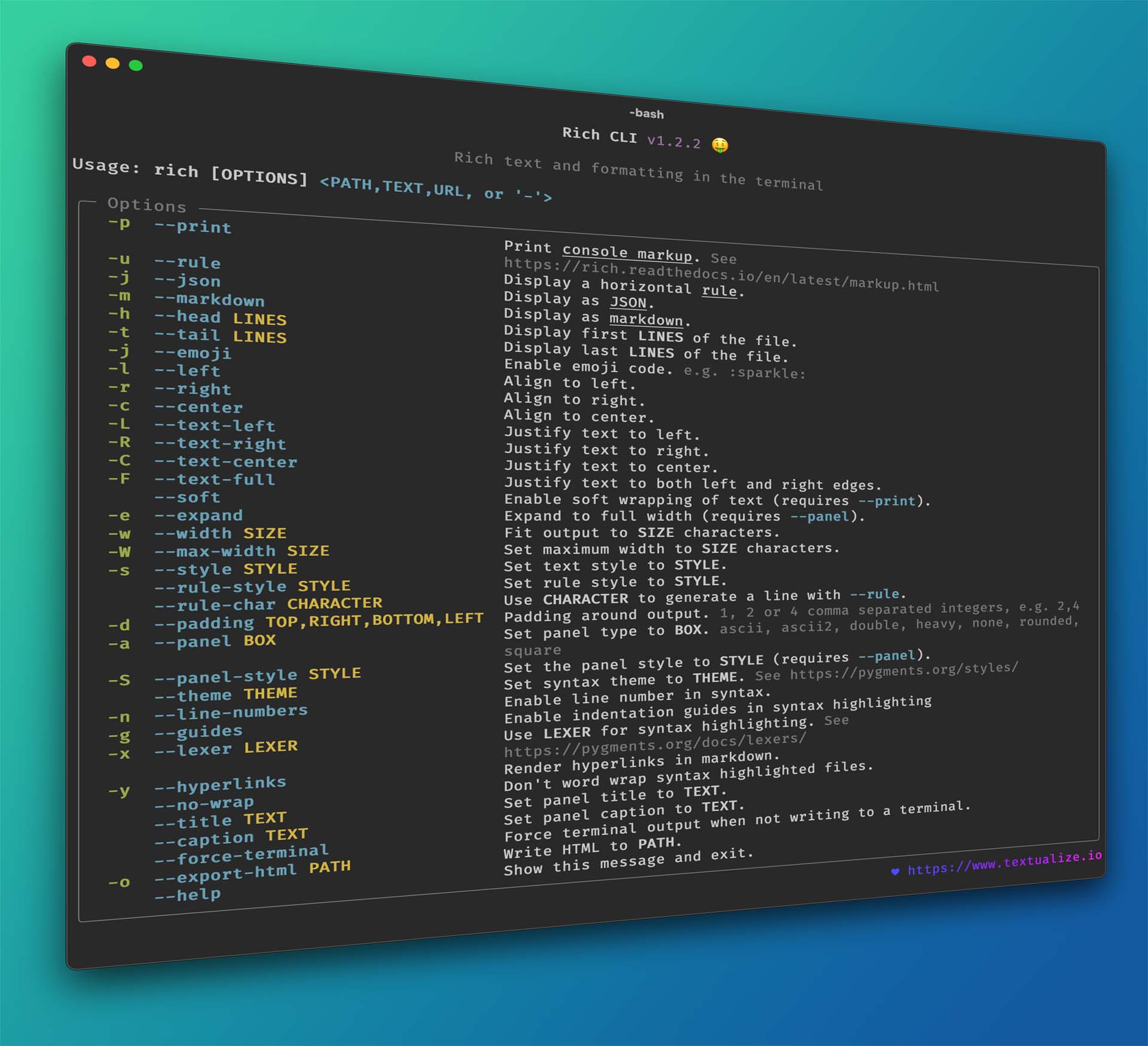
        "description_content_type": "text/markdown",
        "author": "Will McGugan",
        "author_email": "willmcgugan@gmail.com",
        "license": "MIT",
        "license_file": [
          "LICENSE"
        ],
        "classifier": [
          "Development Status :: 5 - Production/Stable",
          "Environment :: Console",
          "Framework :: IPython",
          "Intended Audience :: Developers",
          "License :: OSI Approved :: MIT License",
          "Operating System :: MacOS",
          "Operating System :: Microsoft :: Windows",
          "Operating System :: POSIX :: Linux",
          "Programming Language :: Python :: 3",
          "Programming Language :: Python :: 3.9",
          "Programming Language :: Python :: 3.10",
          "Programming Language :: Python :: 3.11",
          "Programming Language :: Python :: 3.12",
          "Programming Language :: Python :: 3.13",
          "Programming Language :: Python :: 3.14",
          "Typing :: Typed"
        ],
        "requires_dist": [
          "ipywidgets (>=7.5.1,<9) ; extra == \"jupyter\"",
          "markdown-it-py (>=2.2.0)",
          "pygments (>=2.13.0,<3.0.0)"
        ],
        "requires_python": ">=3.9.0",
        "project_url": [
          "Documentation, https://rich.readthedocs.io/en/latest/",
          "Homepage, https://github.com/Textualize/rich"
        ],
        "provides_extra": [
          "jupyter"
        ]
      }
    },
    {
      "download_info": {
        "url": "https://files.pythonhosted.org/packages/b3/81/4da04ced5a082363ecfa159c010d200ecbd959ae410c10c0264a38cac0f5/markdown_it_py-4.2.0-py3-none-any.whl",
        "archive_info": {
          "hashes": {
            "sha256": "9f7ebbcd14fe59494226453aed97c1070d83f8d24b6fc3a3bcf9a38092641c4a"
          },
          "hash": "sha256=9f7ebbcd14fe59494226453aed97c1070d83f8d24b6fc3a3bcf9a38092641c4a"
        }
      },
      "is_direct": false,
      "is_yanked": false,
      "requested": false,
      "metadata": {
        "metadata_version": "2.4",
        "name": "markdown-it-py",
        "version": "4.2.0",
        "summary": "Python port of markdown-it. Markdown parsing, done right!",
        "description": "# markdown-it-py\n\n[![Github-CI][github-ci]][github-link]\n[![Coverage Status][codecov-badge]][codecov-link]\n[![PyPI][pypi-badge]][pypi-link]\n[![Conda][conda-badge]][conda-link]\n[![PyPI - Downloads][install-badge]][install-link]\n\n<p align=\"center\">\n  <img alt=\"markdown-it-py icon\" src=\"https://raw.githubusercontent.com/executablebooks/markdown-it-py/master/docs/_static/markdown-it-py.svg\">\n</p>\n\n> Markdown parser done right.\n\n- Follows the __[CommonMark spec](http://spec.commonmark.org/)__ for baseline parsing\n- Configurable syntax: you can add new rules and even replace existing ones.\n- Pluggable: Adds syntax extensions to extend the parser (see the [plugin list][md-plugins]).\n- High speed (see our [benchmarking tests][md-performance])\n- Easy to configure for [security][md-security]\n- Member of [Google's Assured Open Source Software](https://cloud.google.com/assured-open-source-software/docs/supported-packages)\n\nThis is a Python port of [markdown-it], and some of its associated plugins.\nFor more details see: <https://markdown-it-py.readthedocs.io>.\n\nFor details on [markdown-it] itself, see:\n\n- The __[Live demo](https://markdown-it.github.io)__\n- [The markdown-it README][markdown-it-readme]\n\n**See also:** [markdown-it-pyrs](https://github.com/chrisjsewell/markdown-it-pyrs) for an experimental Rust binding,\nfor even more speed!\n\n## Installation\n\n### PIP\n\n```bash\npip install markdown-it-py[plugins]\n```\n\nor with extras\n\n```bash\npip install markdown-it-py[linkify,plugins]\n```\n\n### Conda\n\n```bash\nconda install -c conda-forge markdown-it-py\n```\n\nor with extras\n\n```bash\nconda install -c conda-forge markdown-it-py linkify-it-py mdit-py-plugins\n```\n\n## Usage\n\n### Python API Usage\n\nRender markdown to HTML with markdown-it-py and a custom configuration\nwith and without plugins and features:\n\n```python\nfrom markdown_it import MarkdownIt\nfrom mdit_py_plugins.front_matter import front_matter_plugin\nfrom mdit_py_plugins.footnote import footnote_plugin\n\nmd = (\n    MarkdownIt('commonmark', {'breaks':True,'html':True})\n    .use(front_matter_plugin)\n    .use(footnote_plugin)\n    .enable('table')\n)\ntext = (\"\"\"\n---\na: 1\n---\n\na | b\n- | -\n1 | 2\n\nA footnote [^1]\n\n[^1]: some details\n\"\"\")\ntokens = md.parse(text)\nhtml_text = md.render(text)\n\n## To export the html to a file, uncomment the lines below:\n# from pathlib import Path\n# Path(\"output.html\").write_text(html_text)\n```\n\n### Command-line Usage\n\nRender markdown to HTML with markdown-it-py from the\ncommand-line:\n\n```console\nusage: markdown-it [-h] [-v] [--stdin|filenames [filenames ...]]\n\nParse one or more markdown files, convert each to HTML, and print to stdout\n\npositional arguments:\n  --stdin        read source Markdown file from standard input\n  filenames      specify an optional list of files to convert\n\noptional arguments:\n  -h, --help     show this help message and exit\n  -v, --version  show program's version number and exit\n\nInteractive:\n\n  $ markdown-it\n  markdown-it-py [version 0.0.0] (interactive)\n  Type Ctrl-D to complete input, or Ctrl-C to exit.\n  >>> # Example\n  ... > markdown *input*\n  ...\n  <h1>Example</h1>\n  <blockquote>\n  <p>markdown <em>input</em></p>\n  </blockquote>\n\nBatch:\n\n  $ markdown-it README.md README.footer.md > index.html\n\n```\n\n## References / Thanks\n\nBig thanks to the authors of [markdown-it]:\n\n- Alex Kocharin [github/rlidwka](https://github.com/rlidwka)\n- Vitaly Puzrin [github/puzrin](https://github.com/puzrin)\n\nAlso [John MacFarlane](https://github.com/jgm) for his work on the CommonMark spec and reference implementations.\n\n[github-ci]: https://github.com/executablebooks/markdown-it-py/actions/workflows/tests.yml/badge.svg?branch=master\n[github-link]: https://github.com/executablebooks/markdown-it-py\n[pypi-badge]: https://img.shields.io/pypi/v/markdown-it-py.svg\n[pypi-link]: https://pypi.org/project/markdown-it-py\n[conda-badge]: https://anaconda.org/conda-forge/markdown-it-py/badges/version.svg\n[conda-link]: https://anaconda.org/conda-forge/markdown-it-py\n[codecov-badge]: https://codecov.io/gh/executablebooks/markdown-it-py/branch/master/graph/badge.svg\n[codecov-link]: https://codecov.io/gh/executablebooks/markdown-it-py\n[install-badge]: https://img.shields.io/pypi/dw/markdown-it-py?label=pypi%20installs\n[install-link]: https://pypistats.org/packages/markdown-it-py\n\n[CommonMark spec]: http://spec.commonmark.org/\n[markdown-it]: https://github.com/markdown-it/markdown-it\n[markdown-it-readme]: https://github.com/markdown-it/markdown-it/blob/master/README.md\n[md-security]: https://markdown-it-py.readthedocs.io/en/latest/security.html\n[md-performance]: https://markdown-it-py.readthedocs.io/en/latest/performance.html\n[md-plugins]: https://markdown-it-py.readthedocs.io/en/latest/plugins.html\n\n",
        "description_content_type": "text/markdown",
        "keywords": [
          "markdown",
          "lexer",
          "parser",
          "commonmark",
          "markdown-it"
        ],
        "author_email": "Chris Sewell <chrisj_sewell@hotmail.com>",
        "license_file": [
          "LICENSE",
          "LICENSE.markdown-it"
        ],
        "classifier": [
          "Development Status :: 5 - Production/Stable",
          "Intended Audience :: Developers",
          "License :: OSI Approved :: MIT License",
          "Programming Language :: Python :: 3",
          "Programming Language :: Python :: 3.10",
          "Programming Language :: Python :: 3.11",
          "Programming Language :: Python :: 3.12",
          "Programming Language :: Python :: 3.13",
          "Programming Language :: Python :: Implementation :: CPython",
          "Programming Language :: Python :: Implementation :: PyPy",
          "Topic :: Software Development :: Libraries :: Python Modules",
          "Topic :: Text Processing :: Markup"
        ],
        "requires_dist": [
          "mdurl~=0.1",
          "psutil ; extra == \"benchmarking\"",
          "pytest ; extra == \"benchmarking\"",
          "pytest-benchmark ; extra == \"benchmarking\"",
          "commonmark~=0.9 ; extra == \"compare\"",
          "markdown~=3.4 ; extra == \"compare\"",
          "mistletoe~=1.0 ; extra == \"compare\"",
          "mistune~=3.0 ; extra == \"compare\"",
          "panflute~=2.3 ; extra == \"compare\"",
          "markdown-it-pyrs ; extra == \"compare\"",
          "linkify-it-py>=1,<3 ; extra == \"linkify\"",
          "mdit-py-plugins>=0.5.0 ; extra == \"plugins\"",
          "gprof2dot ; extra == \"profiling\"",
          "mdit-py-plugins>=0.5.0 ; extra == \"rtd\"",
          "myst-parser ; extra == \"rtd\"",
          "pyyaml ; extra == \"rtd\"",
          "sphinx ; extra == \"rtd\"",
          "sphinx-copybutton ; extra == \"rtd\"",
          "sphinx-design ; extra == \"rtd\"",
          "sphinx-book-theme~=1.0 ; extra == \"rtd\"",
          "jupyter_sphinx ; extra == \"rtd\"",
          "ipykernel ; extra == \"rtd\"",
          "coverage ; extra == \"testing\"",
          "pytest ; extra == \"testing\"",
          "pytest-cov ; extra == \"testing\"",
          "pytest-regressions ; extra == \"testing\"",
          "pytest-timeout ; extra == \"testing\"",
          "requests ; extra == \"testing\""
        ],
        "requires_python": ">=3.10",
        "project_url": [
          "Documentation, https://markdown-it-py.readthedocs.io",
          "Homepage, https://github.com/executablebooks/markdown-it-py"
        ],
        "provides_extra": [
          "benchmarking",
          "compare",
          "linkify",
          "plugins",
          "profiling",
          "rtd",
          "testing"
        ]
      }
    },
    {
      "download_info": {
        "url": "https://files.pythonhosted.org/packages/b3/38/89ba8ad64ae25be8de66a6d463314cf1eb366222074cfda9ee839c56a4b4/mdurl-0.1.2-py3-none-any.whl",
        "archive_info": {
          "hashes": {
            "sha256": "84008a41e51615a49fc9966191ff91509e3c40b939176e643fd50a5c2196b8f8"
          },
          "hash": "sha256=84008a41e51615a49fc9966191ff91509e3c40b939176e643fd50a5c2196b8f8"
        }
      },
      "is_direct": false,
      "is_yanked": false,
      "requested": false,
      "metadata": {
        "metadata_version": "2.1",
        "name": "mdurl",
        "version": "0.1.2",
        "summary": "Markdown URL utilities",
        "description": "# mdurl\n\n[![Build Status](https://github.com/executablebooks/mdurl/workflows/Tests/badge.svg?branch=master)](https://github.com/executablebooks/mdurl/actions?query=workflow%3ATests+branch%3Amaster+event%3Apush)\n[![codecov.io](https://codecov.io/gh/executablebooks/mdurl/branch/master/graph/badge.svg)](https://codecov.io/gh/executablebooks/mdurl)\n[![PyPI version](https://img.shields.io/pypi/v/mdurl)](https://pypi.org/project/mdurl)\n\nThis is a Python port of the JavaScript [mdurl](https://www.npmjs.com/package/mdurl) package.\nSee the [upstream README.md file](https://github.com/markdown-it/mdurl/blob/master/README.md) for API documentation.\n\n",
        "description_content_type": "text/markdown",
        "keywords": [
          "markdown",
          "commonmark"
        ],
        "author_email": "Taneli Hukkinen <hukkin@users.noreply.github.com>",
        "classifier": [
          "License :: OSI Approved :: MIT License",
          "Operating System :: MacOS",
          "Operating System :: Microsoft :: Windows",
          "Operating System :: POSIX :: Linux",
          "Programming Language :: Python :: 3 :: Only",
          "Programming Language :: Python :: 3.7",
          "Programming Language :: Python :: 3.8",
          "Programming Language :: Python :: 3.9",
          "Programming Language :: Python :: 3.10",
          "Programming Language :: Python :: Implementation :: CPython",
          "Programming Language :: Python :: Implementation :: PyPy",
          "Topic :: Software Development :: Libraries :: Python Modules",
          "Typing :: Typed"
        ],
        "requires_python": ">=3.7",
        "project_url": [
          "Homepage, https://github.com/executablebooks/mdurl"
        ]
      }
    }
  ],
  "environment": {
    "implementation_name": "cpython",
    "implementation_version": "3.12.3",
    "os_name": "posix",
    "platform_machine": "x86_64",
    "platform_release": "6.17.0-35-generic",
    "platform_system": "Linux",
    "platform_version": "#35~24.04.1-Ubuntu SMP PREEMPT_DYNAMIC Tue May 26 19:30:42 UTC 2",
    "python_full_version": "3.12.3",
    "platform_python_implementation": "CPython",
    "python_version": "3.12",
    "sys_platform": "linux"
  }
}







